---
title: Scored Quiz
product: Form Library
description: Create a quiz and define correct answers and point values for survey questions to evaluate and grade respondents based on specified answers. View a free Scored Quiz for JavaScript demo to see it in action.
framework: Angular
source: https://surveyjs.io/form-library/examples/create-a-scored-quiz/angular
index: https://surveyjs.io/form-library/examples/overview.md
---
# Scored Quiz (Angular)
Scored quizzes allow you to assign different points or scores to questions, for example, based on difficulty. Individual scores for correct answers are accumulated to calculate a total score and display it to the respondent or save it in a database. You can apply scoring logic to test the knowledge or evaluate performance of a group of people.
To create a scored quiz, you need to create a regular quiz and define scores for each question. Follow the steps below:
1. Specify the [`correctAnswer`](https://surveyjs.io/form-library/documentation/api-reference/question#correctAnswer) property for each question.
This property turns a regular survey question into a quiz question.
1. Implement a custom `score` property.
This property will be serialized and included in the survey JSON schema. The following code shows how to add a numeric `score` property to the base [`Question`](https://surveyjs.io/form-library/documentation/api-reference/question) class:
```js
import { Serializer } from "survey-core";
Serializer.addProperty("question", {
name: "score:number"
});
```
For more information on how to add custom properties to a survey element, refer to the following help topic: [Add Custom Properties to the Property Grid](https://surveyjs.io/survey-creator/documentation/property-grid#add-custom-properties-to-the-property-grid).
1. Assign scores to questions.
Set the `score` property of each question to a number.
1. Calculate the total score.
Handle the [`onCompleting`](https://surveyjs.io/form-library/documentation/api-reference/survey-data-model#onCompleting) event and use a question's [`isAnswerCorrect()`](https://surveyjs.io/form-library/documentation/api-reference/question#isAnswerCorrect) method to check if the question was answered correctly. Sum up the scores of correct answers and display the total score on the Complete page. In addition, you can calculate the maximum possible score. In this demo, the `onCompleting` event handler calls two helper JavaScript functions that calculate the maximum and total scores.
1. Display different Complete pages based on earned points.
Use the [`completeHtmlOnCondition`](https://surveyjs.io/form-library/documentation/api-reference/survey-data-model#completedHtmlOnCondition) array to specify different HTML markup for the Complete page. Each object in this array should include the `expression` and `html` properties. When the `expression` evaluates to `true`, the survey applies the corresponding markup. For more information on expressions, refer to the [Expressions](https://surveyjs.io/form-library/documentation/design-survey/conditional-logic#expressions) help topic. To use the total and maximum scores in the expression or HTML markup, add them to survey results by calling the [`setValue(name, value)`](https://surveyjs.io/form-library/documentation/api-reference/survey-data-model#setValue) method.
## Files
### `src/app/components/json.ts`
```ts
export const json = {
"title": "How Big of a Star Wars Fan You Are",
"showProgressBar": true,
"showTimer": true,
"timeLimitPerPage": 20,
"completedHtmlOnCondition": [{
"expression": "{totalScore} > 14",
"html":
"You got {totalScore} out of {maxScore} points.Congratulation! You did great!"
}, {
"expression": "{totalScore} > 7",
"html":
"You got {totalScore} out of {maxScore} points.Well Done! Your focus determines your reality. And this is the way you passed the quiz."
}, {
"expression": "{totalScore} <= 7",
"html":
"You got {totalScore} out of {maxScore} points.In my experience, as Obi-Wan Kenobi said, there's no such thing as luck."
}],
"pages": [{
"name": "startPage",
"elements": [{
"type": "html",
"name": "welcomeMsg",
"html": "Take this funny quiz to find out how well you know Star Wars.May the Force be with you.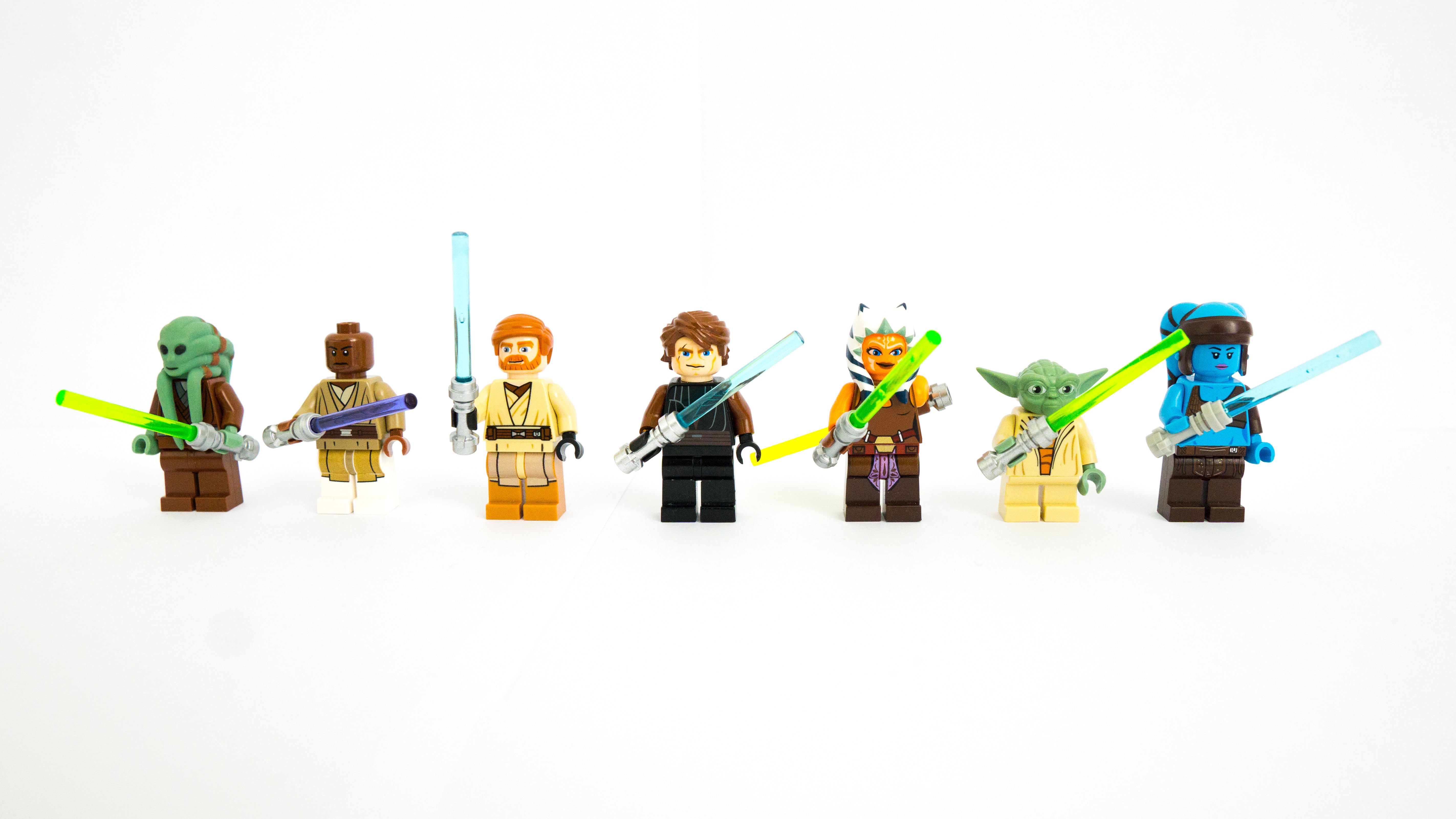 \n"
}]
}, {
"elements": [{
"type": "radiogroup",
"name": "qFirstMovieReleaseYear",
"title": "What year did the first Star Wars movie come out?",
"choices": [ 1980, 2015, 1977 ],
"correctAnswer": 1977,
"score": 5
}]
}, {
"elements": [{
"type": "radiogroup",
"name": "qBabyYodaName",
"score": 3,
"title": "What is Baby Yoda's real name?",
"correctAnswer": "grogu",
"choices": [{
"value": "mike",
"text": "Mike"
}, {
"value": "grogu",
"text": "Grogu"
}, {
"value": "din",
"text": "Din"
}]
}]
}, {
"elements": [{
"type": "rating",
"name": "qSithLordsCount",
"score": 3,
"title": "According to Yoda, how many Sith Lords there always are? No more. No less.",
"correctAnswer": 2,
"rateValues": [ 0, 1, 2, 3, 4 ]
}]
}, {
"elements": [{
"type": "boolean",
"name": "qBobaFettSurvival",
"score": 4,
"title": "Boba Fett survived the Sarlacc pit. True or false?",
"labelTrue": "True",
"labelFalse": "False",
"correctAnswer": true
}]
}, {
"elements": [{
"type": "image",
"name": "falconImage",
"imageLink": "https://surveyjs.io/Content/Images/examples/scored-quiz/millenium-falcon.jpg"
}, {
"type": "radiogroup",
"name": "qHanSolosShipName",
"score": 5,
"startWithNewLine": false,
"title": "What is the name of Han Solo's ship?",
"correctAnswer": "falcon",
"choices": [{
"value": "corfe",
"text": "The Corfe Castle"
}, {
"value": "blackPearl",
"text": "The Black Pearl"
}, {
"value": "falcon",
"text": "The Millennium Falcon"
}]
}]
}],
"firstPageIsStartPage": true
};
```
### `src/app/components/survey.component.css`
```css
/* You can add your custom CSS here. */
```
### `src/app/components/survey.component.html`
```html
```
### `src/app/components/survey.component.ts`
```ts
import { Component, OnInit } from "@angular/core";
import { Model } from "survey-core";
import { json } from "./json";
import "./survey.component.css";
import "survey-core/survey-core.min.css";
import { Serializer } from "survey-core";
// Add a custom `score` property to survey questions
Serializer.addProperty("question", {
name: "score:number"
});
@Component({
// tslint:disable-next-line:component-selector
selector: "component-survey",
templateUrl: "./survey.component.html",
styleUrls: ["./survey.component.css"]
})
export class SurveyComponent implements OnInit {
model: Model;
ngOnInit() {
const survey = new Model(json);
function calculateMaxScore(questions) {
var maxScore = 0;
questions.forEach((question) => {
if (!!question.score) {
maxScore += question.score;
}
});
return maxScore;
}
function calculateTotalScore(data) {
var totalScore = 0;
Object.keys(data).forEach((qName) => {
const question = survey.getQuestionByValueName(qName);
if (question.isAnswerCorrect()) {
if (!!question.score) {
totalScore += question.score;
}
}
});
return totalScore;
}
survey.onCompleting.add((sender) => {
const totalScore = calculateTotalScore(sender.data);
const maxScore = calculateMaxScore(sender.getAllQuestions());
// Save the scores in survey results
sender.setValue("maxScore", maxScore);
sender.setValue("totalScore", totalScore);
});
survey.onComplete.add((sender, options) => {
console.log(JSON.stringify(sender.data, null, 3));
});
this.model = survey;
}
}
```
### `src/app/components/theme.ts`
```ts
export const themeJson = {};
```
### `src/app/app.component.css`
```css
```
### `src/app/app.component.html`
```html
```
### `src/app/app.component.ts`
```ts
import { Component } from "@angular/core";
@Component({
selector: "app-root",
templateUrl: "./app.component.html",
styleUrls: ["./app.component.css"]
})
export class AppComponent {
title = "CodeSandbox";
}
```
### `src/app/app.module.ts`
```ts
import { BrowserModule } from "@angular/platform-browser";
import { NgModule } from "@angular/core";
import { AppComponent } from "./app.component";
import { SurveyModule } from "survey-angular-ui";
import { SurveyComponent } from "./components/survey.component";
@NgModule({
declarations: [AppComponent, SurveyComponent],
imports: [BrowserModule, SurveyModule],
providers: [],
bootstrap: [AppComponent]
})
export class AppModule { }
```
### `src/environments/environment.prod.ts`
```ts
export const environment = {
production: true
};
```
### `src/environments/environment.ts`
```ts
// The file contents for the current environment will overwrite these during build.
// The build system defaults to the dev environment which uses `environment.ts`, but if you do
// `ng build --env=prod` then `environment.prod.ts` will be used instead.
// The list of which env maps to which file can be found in `.angular-cli.json`.
export const environment = {
production: false
};
```
### `src/index.html`
```html
```
### `src/main.ts`
```ts
import { enableProdMode } from "@angular/core";
import { platformBrowserDynamic } from "@angular/platform-browser-dynamic";
import { AppModule } from "./app/app.module";
import { environment } from "./environments/environment";
if (environment.production) {
enableProdMode();
}
platformBrowserDynamic()
.bootstrapModule(AppModule)
.catch(err => console.log(err));
```
### `src/polyfills.ts`
```ts
/**
* This file includes polyfills needed by Angular and is loaded before the app.
* You can add your own extra polyfills to this file.
*
* This file is divided into 2 sections:
* 1. Browser polyfills. These are applied before loading ZoneJS and are sorted by browsers.
* 2. Application imports. Files imported after ZoneJS that should be loaded before your main
* file.
*
* The current setup is for so-called "evergreen" browsers; the last versions of browsers that
* automatically update themselves. This includes Safari >= 10, Chrome >= 55 (including Opera),
* Edge >= 13 on the desktop, and iOS 10 and Chrome on mobile.
*
* Learn more in https://angular.io/docs/ts/latest/guide/browser-support.html
*/
/***************************************************************************************************
* BROWSER POLYFILLS
*/
/** IE9, IE10 and IE11 requires all of the following polyfills. **/
// import 'core-js/es6/symbol';
// import 'core-js/es6/object';
// import 'core-js/es6/function';
// import 'core-js/es6/parse-int';
// import 'core-js/es6/parse-float';
// import 'core-js/es6/number';
// import 'core-js/es6/math';
// import 'core-js/es6/string';
// import 'core-js/es6/date';
// import 'core-js/es6/array';
// import 'core-js/es6/regexp';
// import 'core-js/es6/map';
// import 'core-js/es6/weak-map';
// import 'core-js/es6/set';
/** IE10 and IE11 requires the following for NgClass support on SVG elements */
// import 'classlist.js'; // Run `npm install classlist.js`.
/** IE10 and IE11 requires the following for the Reflect API. */
// import 'core-js/es6/reflect';
/** Evergreen browsers require these. **/
// Used for reflect-metadata in JIT. If you use AOT (and only Angular decorators), you can remove.
import "core-js/proposals/reflect-metadata";
/**
* Required to support Web Animations `@angular/platform-browser/animations`.
* Needed for: All but Chrome, Firefox and Opera. http://caniuse.com/#feat=web-animation
**/
// import 'web-animations-js'; // Run `npm install web-animations-js`.
/***************************************************************************************************
* Zone JS is required by default for Angular itself.
*/
import "zone.js/dist/zone"; // Included with Angular CLI.
/***************************************************************************************************
* APPLICATION IMPORTS
*/
```
### `src/styles.css`
```css
/* You can add your custom CSS here. */
```
### `src/typings.d.ts`
```ts
/* SystemJS module definition */
declare var module: NodeModule;
interface NodeModule {
id: string;
}
```
### `.angular-cli.json`
```json
{
"apps": [
{
"root": "src",
"outDir": "dist",
"assets": [ "assets", "favicon.ico" ],
"index": "index.html",
"main": "main.ts",
"polyfills": "polyfills.ts",
"prefix": "app",
"styles": [ "styles.css" ],
"scripts": [ ],
"environmentSource": "environments/environment.ts",
"environments": {
"dev": "environments/environment.ts",
"prod": "environments/environment.prod.ts"
}
}
]
}
```
### `_tsconfig.json`
```json
{
"compileOnSave": false,
"compilerOptions": {
"baseUrl": "./",
"outDir": "./dist/out-tsc",
"sourceMap": true,
"declaration": false,
"allowSyntheticDefaultImports": true,
"downlevelIteration": true,
"experimentalDecorators": true,
"moduleResolution": "node",
"importHelpers": true,
"resolveJsonModule": true,
"target": "es2015",
"module": "es2020",
"lib": [
"es2018",
"dom"
]
}
}
```
### `package.json`
```json
{
"name": "surveyjs-angular",
"scripts": {
"ng": "ng",
"start": "ng serve",
"build": "ng build --prod",
"test": "ng test",
"lint": "ng lint",
"e2e": "ng e2e"
},
"private": true,
"dependencies": {
"@angular/animations": "14.1.1",
"@angular/cdk": "14.1.1",
"@angular/common": "14.1.1",
"@angular/compiler": "14.1.1",
"@angular/core": "14.1.1",
"@angular/forms": "14.1.1",
"@angular/platform-browser": "14.1.1",
"@angular/platform-browser-dynamic": "14.1.1",
"@angular/router": "14.1.1",
"core-js": "3.6.4",
"rxjs": "6.5.4",
"survey-core": "latest",
"survey-angular-ui": "latest",
"tslib": "1.13.0",
"zone.js": "0.11.7"
},
"devDependencies": {
"@angular/cli": "1.6.6",
"@angular/compiler-cli": "^5.2.0",
"@angular/language-service": "^5.2.0",
"@types/core-js": "0.9.46",
"@types/jasmine": "~2.8.3",
"@types/jasminewd2": "~2.0.2",
"@types/node": "~6.0.60",
"codelyzer": "^4.0.1",
"jasmine-core": "~2.8.0",
"jasmine-spec-reporter": "~4.2.1",
"karma": "~2.0.0",
"karma-chrome-launcher": "~2.2.0",
"karma-coverage-istanbul-reporter": "^1.2.1",
"karma-jasmine": "~1.1.0",
"karma-jasmine-html-reporter": "^0.2.2",
"protractor": "~5.1.2",
"ts-node": "~4.1.0",
"tslint": "~5.9.1",
"typescript": "3.9.7"
},
"keywords": [ "angular", "surveyjs" ],
"description": "SurveyJS-Angular example project"
}
```
## Other Frameworks
- [React](https://surveyjs.io/form-library/examples/create-a-scored-quiz/reactjs.md)
- [Vue 3](https://surveyjs.io/form-library/examples/create-a-scored-quiz/vue3js.md)
- [jQuery](https://surveyjs.io/form-library/examples/create-a-scored-quiz/jquery.md)
- [Vanilla JS](https://surveyjs.io/form-library/examples/create-a-scored-quiz/vanillajs.md)
\n"
}]
}, {
"elements": [{
"type": "radiogroup",
"name": "qFirstMovieReleaseYear",
"title": "What year did the first Star Wars movie come out?",
"choices": [ 1980, 2015, 1977 ],
"correctAnswer": 1977,
"score": 5
}]
}, {
"elements": [{
"type": "radiogroup",
"name": "qBabyYodaName",
"score": 3,
"title": "What is Baby Yoda's real name?",
"correctAnswer": "grogu",
"choices": [{
"value": "mike",
"text": "Mike"
}, {
"value": "grogu",
"text": "Grogu"
}, {
"value": "din",
"text": "Din"
}]
}]
}, {
"elements": [{
"type": "rating",
"name": "qSithLordsCount",
"score": 3,
"title": "According to Yoda, how many Sith Lords there always are? No more. No less.",
"correctAnswer": 2,
"rateValues": [ 0, 1, 2, 3, 4 ]
}]
}, {
"elements": [{
"type": "boolean",
"name": "qBobaFettSurvival",
"score": 4,
"title": "Boba Fett survived the Sarlacc pit. True or false?",
"labelTrue": "True",
"labelFalse": "False",
"correctAnswer": true
}]
}, {
"elements": [{
"type": "image",
"name": "falconImage",
"imageLink": "https://surveyjs.io/Content/Images/examples/scored-quiz/millenium-falcon.jpg"
}, {
"type": "radiogroup",
"name": "qHanSolosShipName",
"score": 5,
"startWithNewLine": false,
"title": "What is the name of Han Solo's ship?",
"correctAnswer": "falcon",
"choices": [{
"value": "corfe",
"text": "The Corfe Castle"
}, {
"value": "blackPearl",
"text": "The Black Pearl"
}, {
"value": "falcon",
"text": "The Millennium Falcon"
}]
}]
}],
"firstPageIsStartPage": true
};
```
### `src/app/components/survey.component.css`
```css
/* You can add your custom CSS here. */
```
### `src/app/components/survey.component.html`
```html
```
### `src/app/components/survey.component.ts`
```ts
import { Component, OnInit } from "@angular/core";
import { Model } from "survey-core";
import { json } from "./json";
import "./survey.component.css";
import "survey-core/survey-core.min.css";
import { Serializer } from "survey-core";
// Add a custom `score` property to survey questions
Serializer.addProperty("question", {
name: "score:number"
});
@Component({
// tslint:disable-next-line:component-selector
selector: "component-survey",
templateUrl: "./survey.component.html",
styleUrls: ["./survey.component.css"]
})
export class SurveyComponent implements OnInit {
model: Model;
ngOnInit() {
const survey = new Model(json);
function calculateMaxScore(questions) {
var maxScore = 0;
questions.forEach((question) => {
if (!!question.score) {
maxScore += question.score;
}
});
return maxScore;
}
function calculateTotalScore(data) {
var totalScore = 0;
Object.keys(data).forEach((qName) => {
const question = survey.getQuestionByValueName(qName);
if (question.isAnswerCorrect()) {
if (!!question.score) {
totalScore += question.score;
}
}
});
return totalScore;
}
survey.onCompleting.add((sender) => {
const totalScore = calculateTotalScore(sender.data);
const maxScore = calculateMaxScore(sender.getAllQuestions());
// Save the scores in survey results
sender.setValue("maxScore", maxScore);
sender.setValue("totalScore", totalScore);
});
survey.onComplete.add((sender, options) => {
console.log(JSON.stringify(sender.data, null, 3));
});
this.model = survey;
}
}
```
### `src/app/components/theme.ts`
```ts
export const themeJson = {};
```
### `src/app/app.component.css`
```css
```
### `src/app/app.component.html`
```html
```
### `src/app/app.component.ts`
```ts
import { Component } from "@angular/core";
@Component({
selector: "app-root",
templateUrl: "./app.component.html",
styleUrls: ["./app.component.css"]
})
export class AppComponent {
title = "CodeSandbox";
}
```
### `src/app/app.module.ts`
```ts
import { BrowserModule } from "@angular/platform-browser";
import { NgModule } from "@angular/core";
import { AppComponent } from "./app.component";
import { SurveyModule } from "survey-angular-ui";
import { SurveyComponent } from "./components/survey.component";
@NgModule({
declarations: [AppComponent, SurveyComponent],
imports: [BrowserModule, SurveyModule],
providers: [],
bootstrap: [AppComponent]
})
export class AppModule { }
```
### `src/environments/environment.prod.ts`
```ts
export const environment = {
production: true
};
```
### `src/environments/environment.ts`
```ts
// The file contents for the current environment will overwrite these during build.
// The build system defaults to the dev environment which uses `environment.ts`, but if you do
// `ng build --env=prod` then `environment.prod.ts` will be used instead.
// The list of which env maps to which file can be found in `.angular-cli.json`.
export const environment = {
production: false
};
```
### `src/index.html`
```html
```
### `src/main.ts`
```ts
import { enableProdMode } from "@angular/core";
import { platformBrowserDynamic } from "@angular/platform-browser-dynamic";
import { AppModule } from "./app/app.module";
import { environment } from "./environments/environment";
if (environment.production) {
enableProdMode();
}
platformBrowserDynamic()
.bootstrapModule(AppModule)
.catch(err => console.log(err));
```
### `src/polyfills.ts`
```ts
/**
* This file includes polyfills needed by Angular and is loaded before the app.
* You can add your own extra polyfills to this file.
*
* This file is divided into 2 sections:
* 1. Browser polyfills. These are applied before loading ZoneJS and are sorted by browsers.
* 2. Application imports. Files imported after ZoneJS that should be loaded before your main
* file.
*
* The current setup is for so-called "evergreen" browsers; the last versions of browsers that
* automatically update themselves. This includes Safari >= 10, Chrome >= 55 (including Opera),
* Edge >= 13 on the desktop, and iOS 10 and Chrome on mobile.
*
* Learn more in https://angular.io/docs/ts/latest/guide/browser-support.html
*/
/***************************************************************************************************
* BROWSER POLYFILLS
*/
/** IE9, IE10 and IE11 requires all of the following polyfills. **/
// import 'core-js/es6/symbol';
// import 'core-js/es6/object';
// import 'core-js/es6/function';
// import 'core-js/es6/parse-int';
// import 'core-js/es6/parse-float';
// import 'core-js/es6/number';
// import 'core-js/es6/math';
// import 'core-js/es6/string';
// import 'core-js/es6/date';
// import 'core-js/es6/array';
// import 'core-js/es6/regexp';
// import 'core-js/es6/map';
// import 'core-js/es6/weak-map';
// import 'core-js/es6/set';
/** IE10 and IE11 requires the following for NgClass support on SVG elements */
// import 'classlist.js'; // Run `npm install classlist.js`.
/** IE10 and IE11 requires the following for the Reflect API. */
// import 'core-js/es6/reflect';
/** Evergreen browsers require these. **/
// Used for reflect-metadata in JIT. If you use AOT (and only Angular decorators), you can remove.
import "core-js/proposals/reflect-metadata";
/**
* Required to support Web Animations `@angular/platform-browser/animations`.
* Needed for: All but Chrome, Firefox and Opera. http://caniuse.com/#feat=web-animation
**/
// import 'web-animations-js'; // Run `npm install web-animations-js`.
/***************************************************************************************************
* Zone JS is required by default for Angular itself.
*/
import "zone.js/dist/zone"; // Included with Angular CLI.
/***************************************************************************************************
* APPLICATION IMPORTS
*/
```
### `src/styles.css`
```css
/* You can add your custom CSS here. */
```
### `src/typings.d.ts`
```ts
/* SystemJS module definition */
declare var module: NodeModule;
interface NodeModule {
id: string;
}
```
### `.angular-cli.json`
```json
{
"apps": [
{
"root": "src",
"outDir": "dist",
"assets": [ "assets", "favicon.ico" ],
"index": "index.html",
"main": "main.ts",
"polyfills": "polyfills.ts",
"prefix": "app",
"styles": [ "styles.css" ],
"scripts": [ ],
"environmentSource": "environments/environment.ts",
"environments": {
"dev": "environments/environment.ts",
"prod": "environments/environment.prod.ts"
}
}
]
}
```
### `_tsconfig.json`
```json
{
"compileOnSave": false,
"compilerOptions": {
"baseUrl": "./",
"outDir": "./dist/out-tsc",
"sourceMap": true,
"declaration": false,
"allowSyntheticDefaultImports": true,
"downlevelIteration": true,
"experimentalDecorators": true,
"moduleResolution": "node",
"importHelpers": true,
"resolveJsonModule": true,
"target": "es2015",
"module": "es2020",
"lib": [
"es2018",
"dom"
]
}
}
```
### `package.json`
```json
{
"name": "surveyjs-angular",
"scripts": {
"ng": "ng",
"start": "ng serve",
"build": "ng build --prod",
"test": "ng test",
"lint": "ng lint",
"e2e": "ng e2e"
},
"private": true,
"dependencies": {
"@angular/animations": "14.1.1",
"@angular/cdk": "14.1.1",
"@angular/common": "14.1.1",
"@angular/compiler": "14.1.1",
"@angular/core": "14.1.1",
"@angular/forms": "14.1.1",
"@angular/platform-browser": "14.1.1",
"@angular/platform-browser-dynamic": "14.1.1",
"@angular/router": "14.1.1",
"core-js": "3.6.4",
"rxjs": "6.5.4",
"survey-core": "latest",
"survey-angular-ui": "latest",
"tslib": "1.13.0",
"zone.js": "0.11.7"
},
"devDependencies": {
"@angular/cli": "1.6.6",
"@angular/compiler-cli": "^5.2.0",
"@angular/language-service": "^5.2.0",
"@types/core-js": "0.9.46",
"@types/jasmine": "~2.8.3",
"@types/jasminewd2": "~2.0.2",
"@types/node": "~6.0.60",
"codelyzer": "^4.0.1",
"jasmine-core": "~2.8.0",
"jasmine-spec-reporter": "~4.2.1",
"karma": "~2.0.0",
"karma-chrome-launcher": "~2.2.0",
"karma-coverage-istanbul-reporter": "^1.2.1",
"karma-jasmine": "~1.1.0",
"karma-jasmine-html-reporter": "^0.2.2",
"protractor": "~5.1.2",
"ts-node": "~4.1.0",
"tslint": "~5.9.1",
"typescript": "3.9.7"
},
"keywords": [ "angular", "surveyjs" ],
"description": "SurveyJS-Angular example project"
}
```
## Other Frameworks
- [React](https://surveyjs.io/form-library/examples/create-a-scored-quiz/reactjs.md)
- [Vue 3](https://surveyjs.io/form-library/examples/create-a-scored-quiz/vue3js.md)
- [jQuery](https://surveyjs.io/form-library/examples/create-a-scored-quiz/jquery.md)
- [Vanilla JS](https://surveyjs.io/form-library/examples/create-a-scored-quiz/vanillajs.md)