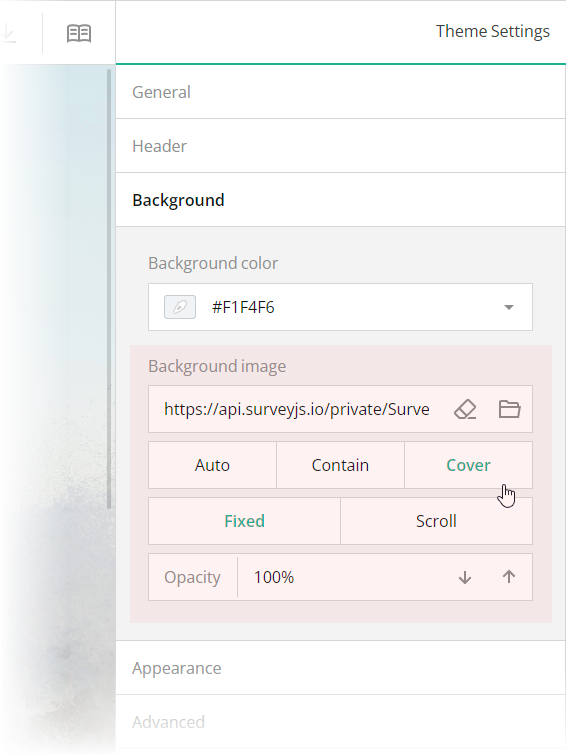
 These editors are mapped to the following theme JSON schema properties, which you can find in the `theme.js` file:
- [`backgroundImage`](https://surveyjs.io/form-library/documentation/api-reference/itheme#backgroundImage): `string`
An image to display as form background. This property accepts a hyperlink or a data URL.
- [`backgroundImageFit`](https://surveyjs.io/form-library/documentation/api-reference/itheme#backgroundImageFit): `"auto"` | `"contain"` | `"cover"`
A string value that specifies how to resize the background image to fit it into its container. Refer to the description of the [`background-size`](https://developer.mozilla.org/en-US/docs/Web/CSS/background-size#values) CSS property values on MDN for detailed information on the possible values.
- [`backgroundImageAttachment`](https://surveyjs.io/form-library/documentation/api-reference/itheme#backgroundImageAttachment): `"fixed"` | `"scroll"`
A string value that specifies whether the background image is fixed in its position (as in this demo) or scrolled along with the survey.
- [`backgroundOpacity`](https://surveyjs.io/form-library/documentation/api-reference/itheme#backgroundOpacity): `number`
A value from 0 to 1 that specifies how transparent the background image should be: 0 makes the image completely transparent, and 1 makes it opaque. In Theme Editor, the opacity values are mapped to a scale from 0% to 100%.
## Configure the Form Header
The header of your form typically contains a form title, short description, and a logo of your company. To specify title and description texts, open the Designer tab and enter them in the **Survey title** and **Survey description** editors in the **General** category.
These editors are mapped to the following theme JSON schema properties, which you can find in the `theme.js` file:
- [`backgroundImage`](https://surveyjs.io/form-library/documentation/api-reference/itheme#backgroundImage): `string`
An image to display as form background. This property accepts a hyperlink or a data URL.
- [`backgroundImageFit`](https://surveyjs.io/form-library/documentation/api-reference/itheme#backgroundImageFit): `"auto"` | `"contain"` | `"cover"`
A string value that specifies how to resize the background image to fit it into its container. Refer to the description of the [`background-size`](https://developer.mozilla.org/en-US/docs/Web/CSS/background-size#values) CSS property values on MDN for detailed information on the possible values.
- [`backgroundImageAttachment`](https://surveyjs.io/form-library/documentation/api-reference/itheme#backgroundImageAttachment): `"fixed"` | `"scroll"`
A string value that specifies whether the background image is fixed in its position (as in this demo) or scrolled along with the survey.
- [`backgroundOpacity`](https://surveyjs.io/form-library/documentation/api-reference/itheme#backgroundOpacity): `number`
A value from 0 to 1 that specifies how transparent the background image should be: 0 makes the image completely transparent, and 1 makes it opaque. In Theme Editor, the opacity values are mapped to a scale from 0% to 100%.
## Configure the Form Header
The header of your form typically contains a form title, short description, and a logo of your company. To specify title and description texts, open the Designer tab and enter them in the **Survey title** and **Survey description** editors in the **General** category.
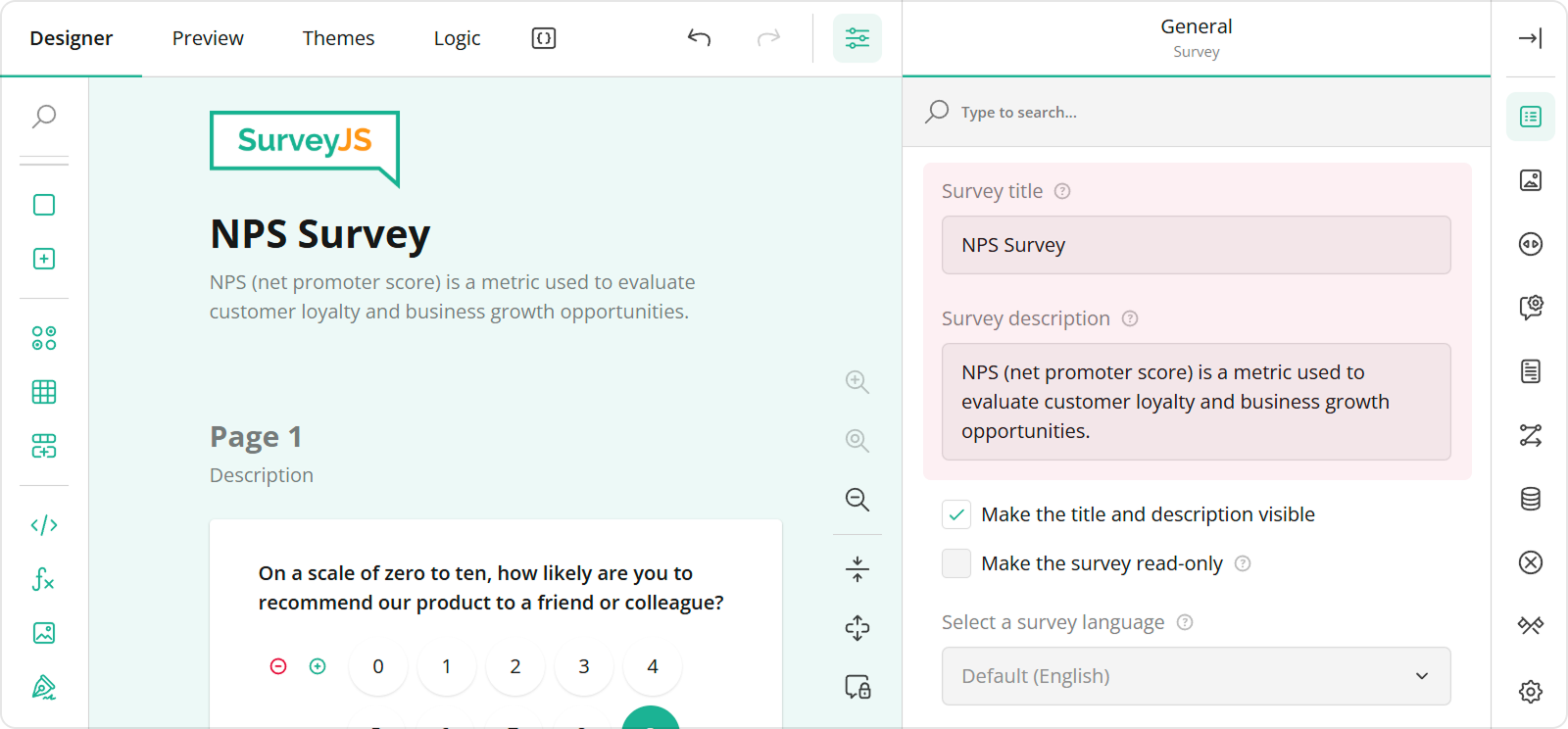 To configure a logo, use editors in the **Logo in the Survey Header** category.
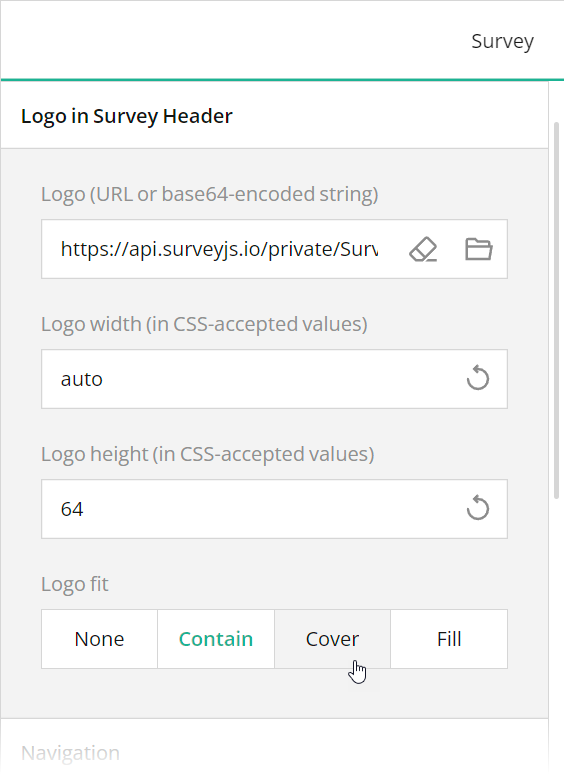 These editors are mapped to the following survey JSON properties:
- [`title`](https://surveyjs.io/form-library/documentation/api-reference/survey-data-model#title)
- [`description`](https://surveyjs.io/form-library/documentation/api-reference/survey-data-model#description)
- [`logo`](https://surveyjs.io/form-library/documentation/api-reference/survey-data-model#logo)
- [`logoWidth`](https://surveyjs.io/form-library/documentation/api-reference/survey-data-model#logoWidth)
- [`logoHeight`](https://surveyjs.io/form-library/documentation/api-reference/survey-data-model#logoHeight)
- [`logoFit`](https://surveyjs.io/form-library/documentation/api-reference/survey-data-model#logoFit)
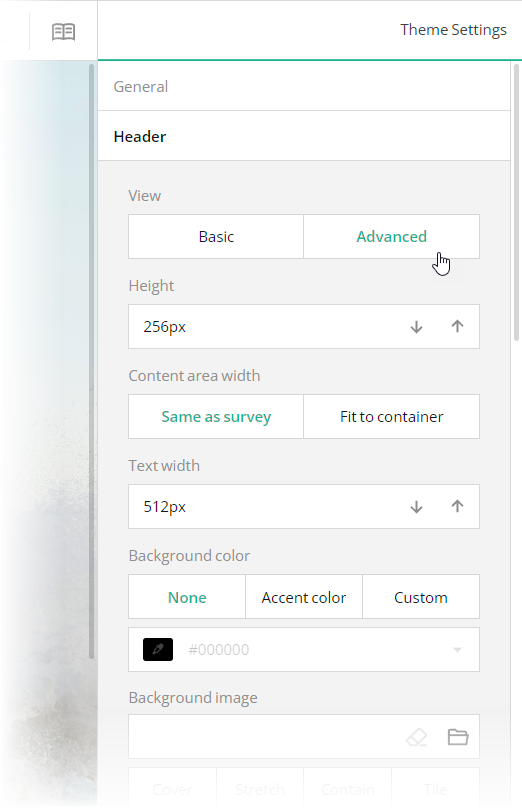
To configure the appearance of the form header, open the Themes tab and use editors in the **Header** category. Ensure that the **View** switch is set to "Advanced". All editors in the Header category, except font editors and View, are mapped to corresponding [`header`](https://surveyjs.io/form-library/documentation/api-reference/iheader) object properties in the theme JSON schema (see the `theme.js` file).
These editors are mapped to the following survey JSON properties:
- [`title`](https://surveyjs.io/form-library/documentation/api-reference/survey-data-model#title)
- [`description`](https://surveyjs.io/form-library/documentation/api-reference/survey-data-model#description)
- [`logo`](https://surveyjs.io/form-library/documentation/api-reference/survey-data-model#logo)
- [`logoWidth`](https://surveyjs.io/form-library/documentation/api-reference/survey-data-model#logoWidth)
- [`logoHeight`](https://surveyjs.io/form-library/documentation/api-reference/survey-data-model#logoHeight)
- [`logoFit`](https://surveyjs.io/form-library/documentation/api-reference/survey-data-model#logoFit)
To configure the appearance of the form header, open the Themes tab and use editors in the **Header** category. Ensure that the **View** switch is set to "Advanced". All editors in the Header category, except font editors and View, are mapped to corresponding [`header`](https://surveyjs.io/form-library/documentation/api-reference/iheader) object properties in the theme JSON schema (see the `theme.js` file).
 ## Files
### `public/index.html`
```html
```
### `src/SurveyComponent.jsx`
```js
import React from "react";
import { Model } from "survey-core";
import { Survey } from "survey-react-ui";
import "survey-core/survey-core.min.css";
import { themeJson } from "./theme";
import "./index.css";
import { json } from "./json";
function SurveyComponent() {
const survey = new Model(json);
survey.applyTheme(themeJson);
survey.onComplete.add((sender, options) => {
console.log(JSON.stringify(sender.data, null, 3));
});
return (
## Files
### `public/index.html`
```html
```
### `src/SurveyComponent.jsx`
```js
import React from "react";
import { Model } from "survey-core";
import { Survey } from "survey-react-ui";
import "survey-core/survey-core.min.css";
import { themeJson } from "./theme";
import "./index.css";
import { json } from "./json";
function SurveyComponent() {
const survey = new Model(json);
survey.applyTheme(themeJson);
survey.onComplete.add((sender, options) => {
console.log(JSON.stringify(sender.data, null, 3));
});
return (Your message has been sent successfully.
\n