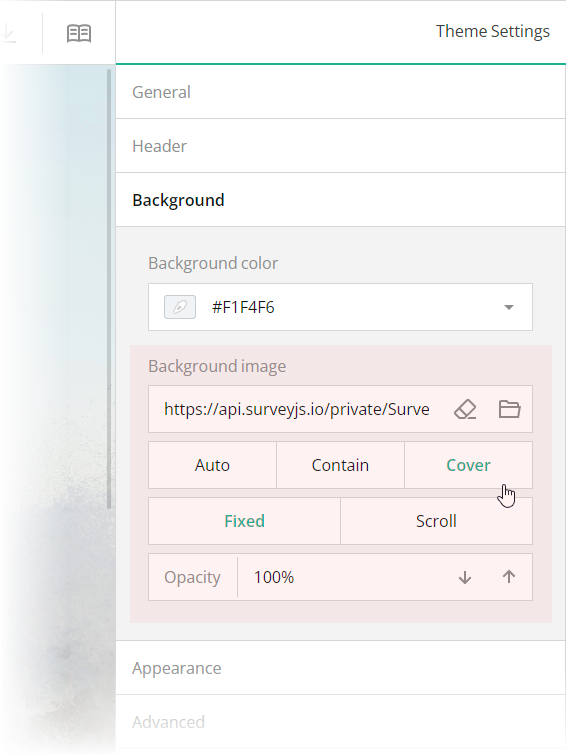
 These editors are mapped to the following theme JSON schema properties, which you can find in the `theme.js` file:
- [`backgroundImage`](https://surveyjs.io/form-library/documentation/api-reference/itheme#backgroundImage): `string`
An image to display as form background. This property accepts a hyperlink or a data URL.
- [`backgroundImageFit`](https://surveyjs.io/form-library/documentation/api-reference/itheme#backgroundImageFit): `"auto"` | `"contain"` | `"cover"`
A string value that specifies how to resize the background image to fit it into its container. Refer to the description of the [`background-size`](https://developer.mozilla.org/en-US/docs/Web/CSS/background-size#values) CSS property values on MDN for detailed information on the possible values.
- [`backgroundImageAttachment`](https://surveyjs.io/form-library/documentation/api-reference/itheme#backgroundImageAttachment): `"fixed"` | `"scroll"`
A string value that specifies whether the background image is fixed in its position (as in this demo) or scrolled along with the survey.
- [`backgroundOpacity`](https://surveyjs.io/form-library/documentation/api-reference/itheme#backgroundOpacity): `number`
A value from 0 to 1 that specifies how transparent the background image should be: 0 makes the image completely transparent, and 1 makes it opaque. In Theme Editor, the opacity values are mapped to a scale from 0% to 100%.
## Configure the Form Header
A form header usually consists of a form title, short description, and a logo of your company. However, all these elements are optional. In this demo, the form header contains only a description and a logo.
To specify a description text, open the **Designer** tab and enter your text in the **Survey description** editor within the **General** category.
These editors are mapped to the following theme JSON schema properties, which you can find in the `theme.js` file:
- [`backgroundImage`](https://surveyjs.io/form-library/documentation/api-reference/itheme#backgroundImage): `string`
An image to display as form background. This property accepts a hyperlink or a data URL.
- [`backgroundImageFit`](https://surveyjs.io/form-library/documentation/api-reference/itheme#backgroundImageFit): `"auto"` | `"contain"` | `"cover"`
A string value that specifies how to resize the background image to fit it into its container. Refer to the description of the [`background-size`](https://developer.mozilla.org/en-US/docs/Web/CSS/background-size#values) CSS property values on MDN for detailed information on the possible values.
- [`backgroundImageAttachment`](https://surveyjs.io/form-library/documentation/api-reference/itheme#backgroundImageAttachment): `"fixed"` | `"scroll"`
A string value that specifies whether the background image is fixed in its position (as in this demo) or scrolled along with the survey.
- [`backgroundOpacity`](https://surveyjs.io/form-library/documentation/api-reference/itheme#backgroundOpacity): `number`
A value from 0 to 1 that specifies how transparent the background image should be: 0 makes the image completely transparent, and 1 makes it opaque. In Theme Editor, the opacity values are mapped to a scale from 0% to 100%.
## Configure the Form Header
A form header usually consists of a form title, short description, and a logo of your company. However, all these elements are optional. In this demo, the form header contains only a description and a logo.
To specify a description text, open the **Designer** tab and enter your text in the **Survey description** editor within the **General** category.
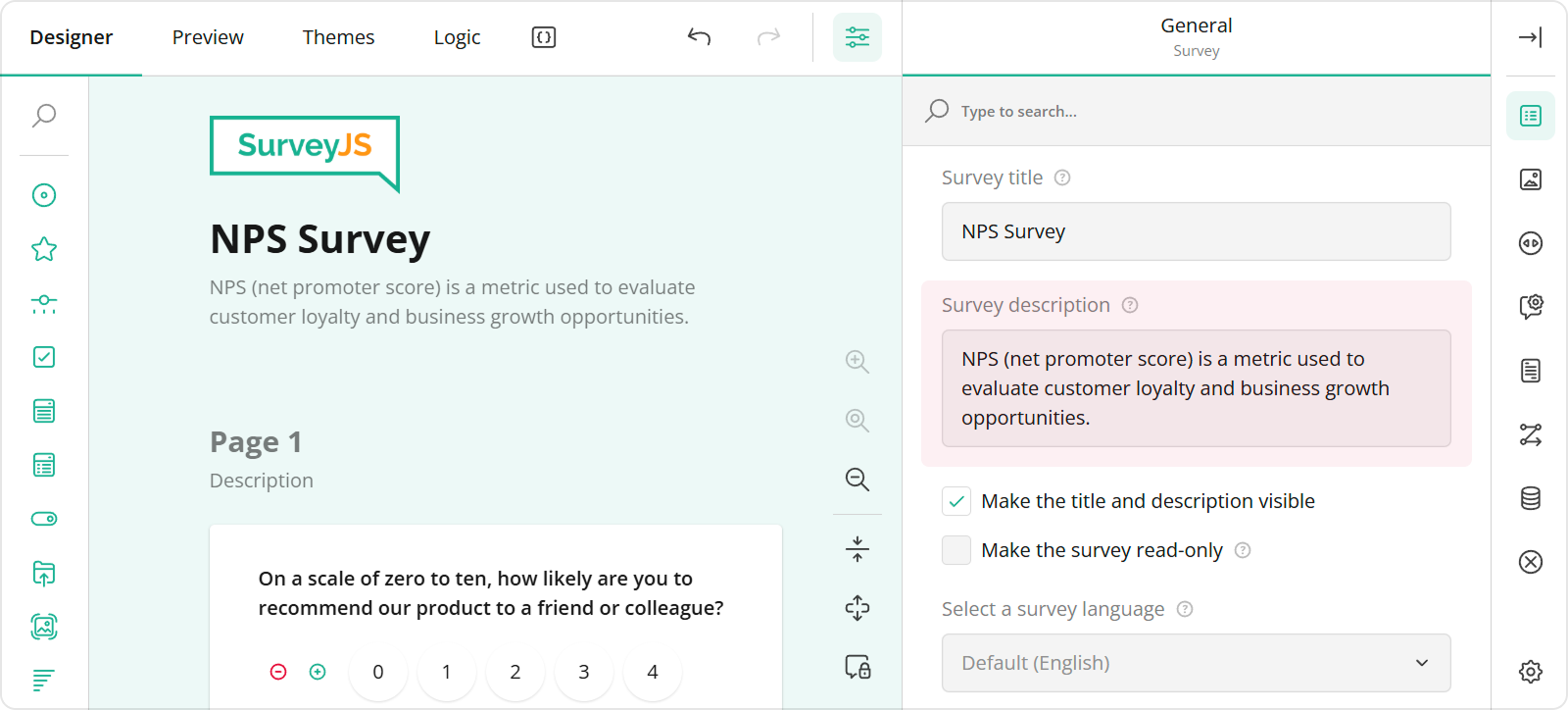 To add and configure a logo for your form in Survey Creator, use editors in the **Logo in the Survey Header** category.
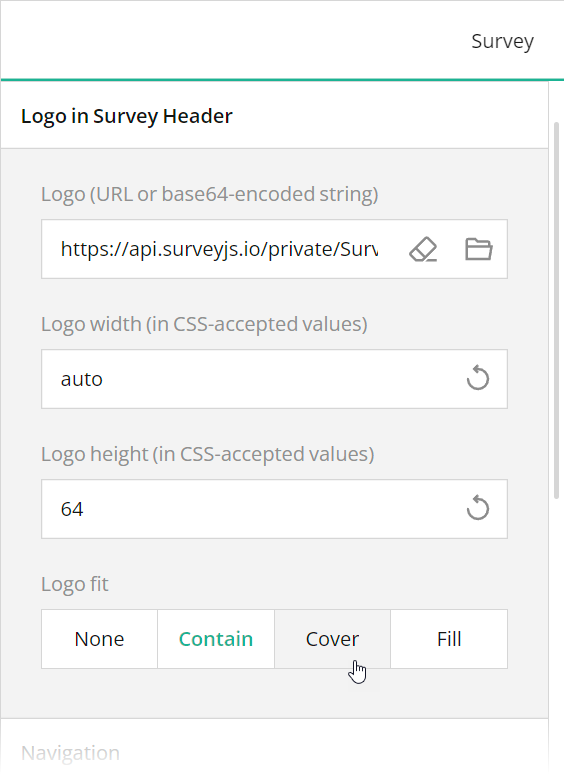 These editors are mapped to the following survey JSON properties:
- [`description`](https://surveyjs.io/form-library/documentation/api-reference/survey-data-model#description)
- [`logo`](https://surveyjs.io/form-library/documentation/api-reference/survey-data-model#logo)
- [`logoWidth`](https://surveyjs.io/form-library/documentation/api-reference/survey-data-model#logoWidth)
- [`logoHeight`](https://surveyjs.io/form-library/documentation/api-reference/survey-data-model#logoHeight)
- [`logoFit`](https://surveyjs.io/form-library/documentation/api-reference/survey-data-model#logoFit)
To position a description and logo within a form header, use Theme Editor integrated in Survey Creator. Switch to the **Themes** tab, open the **Header** category in Property Grid, and use the **Logo alignment** and **Survey description alignment** editors to align these elements as required. Ensure that the **View** switch is set to "Advanced".
These editors are mapped to the following survey JSON properties:
- [`description`](https://surveyjs.io/form-library/documentation/api-reference/survey-data-model#description)
- [`logo`](https://surveyjs.io/form-library/documentation/api-reference/survey-data-model#logo)
- [`logoWidth`](https://surveyjs.io/form-library/documentation/api-reference/survey-data-model#logoWidth)
- [`logoHeight`](https://surveyjs.io/form-library/documentation/api-reference/survey-data-model#logoHeight)
- [`logoFit`](https://surveyjs.io/form-library/documentation/api-reference/survey-data-model#logoFit)
To position a description and logo within a form header, use Theme Editor integrated in Survey Creator. Switch to the **Themes** tab, open the **Header** category in Property Grid, and use the **Logo alignment** and **Survey description alignment** editors to align these elements as required. Ensure that the **View** switch is set to "Advanced".
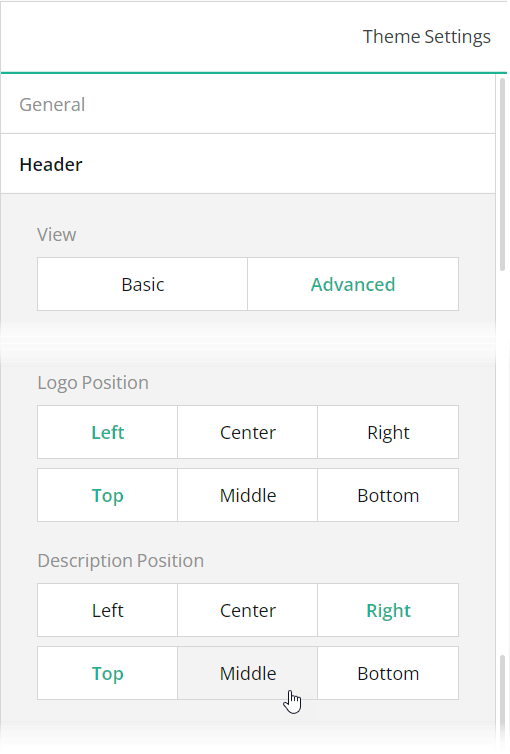 You can also use other editors within the **Header** category to configure the form header in greater detail. All editors in the Header category, except font editors and View, are mapped to corresponding [`header`](https://surveyjs.io/form-library/documentation/api-reference/iheader) object properties in the theme JSON schema (see the `theme.js` file).
## Files
### `public/index.html`
```html
```
### `src/index.css`
```css
/* You can add your custom CSS here. */
```
### `src/index.js`
```js
import $ from "jquery";
import { Model } from "survey-core";
import "survey-js-ui";
import "survey-core/survey-core.min.css";
import { themeJson } from "./theme";
import "./index.css";
import { json } from "./json";
const survey = new Model(json);
survey.applyTheme(themeJson);
survey.onComplete.add((sender, options) => {
console.log(JSON.stringify(sender.data, null, 3));
});
$("#surveyElement").Survey({ model: survey });
```
### `src/json.js`
```js
export const json = {
"description": "4140 Parker Rd. Allentown, New Mexico +1 (319) 555-01-15",
"logo": "https://api.surveyjs.io/private/Surveys/files?name=6e093d61-110b-4656-b079-aeed02cbd091",
"logoWidth": "auto",
"logoHeight": "64",
"logoPosition": "right",
"completedHtml": "
You can also use other editors within the **Header** category to configure the form header in greater detail. All editors in the Header category, except font editors and View, are mapped to corresponding [`header`](https://surveyjs.io/form-library/documentation/api-reference/iheader) object properties in the theme JSON schema (see the `theme.js` file).
## Files
### `public/index.html`
```html
```
### `src/index.css`
```css
/* You can add your custom CSS here. */
```
### `src/index.js`
```js
import $ from "jquery";
import { Model } from "survey-core";
import "survey-js-ui";
import "survey-core/survey-core.min.css";
import { themeJson } from "./theme";
import "./index.css";
import { json } from "./json";
const survey = new Model(json);
survey.applyTheme(themeJson);
survey.onComplete.add((sender, options) => {
console.log(JSON.stringify(sender.data, null, 3));
});
$("#surveyElement").Survey({ model: survey });
```
### `src/json.js`
```js
export const json = {
"description": "4140 Parker Rd. Allentown, New Mexico +1 (319) 555-01-15",
"logo": "https://api.surveyjs.io/private/Surveys/files?name=6e093d61-110b-4656-b079-aeed02cbd091",
"logoWidth": "auto",
"logoHeight": "64",
"logoPosition": "right",
"completedHtml": "We genuinely appreciate your trust in Pet Hotel for the care and comfort of your cherished pet. Your registration is complete and your furry friend is all set for a wonderful stay.\n
\nRest assured, our dedicated team is fully prepared to ensure a safe, enjoyable, and pampered experience. If you have any specific requests, questions, or would like to discuss your pet's stay in more detail, please don't hesitate to reach out.\n
\nAt Pet Hotel, we consider every pet as part of our family, and we're committed to providing the best possible care. We eagerly await your pet's arrival and look forward to serving you.\n
\nWarmest regards,\n
\nPet Hotel.\n