---
title: Export Custom Questions to PDF | SurveyJS PDF Generator
description: Learn how to export custom questions and third-party components to a PDF form.
---
# Export Custom Questions and Third-Party Components to PDF
This help topic describes how to export custom questions that use [third-party components](https://surveyjs.io/form-library/documentation/customize-question-types/third-party-component-integration-react) to PDF. You can export custom questions as plain text, use a predefined renderer to export a custom question as an out-of-the-box question, or implement a custom PDF brick to customize the export as you like.
## Render Custom Questions as Text
SurveyJS PDF Generator exports custom questions as plain non-editable text that displays question values.
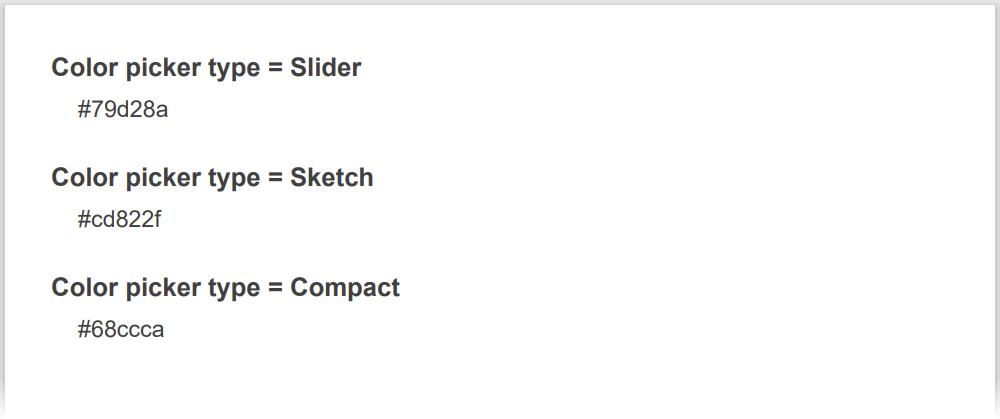 Since this is the default behavior, you do not need to specifically configure it.
## Use a Predefined Renderer
If your custom question extends one of the out-of-the-box question types ([`QuestionTextModel`](https://surveyjs.io/form-library/documentation/api-reference/text-entry-question-model), [`QuestionCheckboxModel`](https://surveyjs.io/form-library/documentation/api-reference/checkbox-question-model), [`QuestionDropdownModel`](https://surveyjs.io/form-library/documentation/api-reference/dropdown-menu-model), etc.), it can use the renderer of the extended question type. For instance, the following code specifies the use of a Text Input question renderer to export a custom `color-picker` question:
```js
import { FlatRepository } from "survey-pdf";
import { QuestionTextModel } from "survey-core";
const CUSTOM_TYPE = "color-picker";
export class QuestionColorPickerModel extends QuestionTextModel {
getType() {
return CUSTOM_TYPE;
}
//...
}
FlatRepository.register(
CUSTOM_TYPE,
FlatRepository.getRenderer("text")
);
```
The image below illustrates the result:
Since this is the default behavior, you do not need to specifically configure it.
## Use a Predefined Renderer
If your custom question extends one of the out-of-the-box question types ([`QuestionTextModel`](https://surveyjs.io/form-library/documentation/api-reference/text-entry-question-model), [`QuestionCheckboxModel`](https://surveyjs.io/form-library/documentation/api-reference/checkbox-question-model), [`QuestionDropdownModel`](https://surveyjs.io/form-library/documentation/api-reference/dropdown-menu-model), etc.), it can use the renderer of the extended question type. For instance, the following code specifies the use of a Text Input question renderer to export a custom `color-picker` question:
```js
import { FlatRepository } from "survey-pdf";
import { QuestionTextModel } from "survey-core";
const CUSTOM_TYPE = "color-picker";
export class QuestionColorPickerModel extends QuestionTextModel {
getType() {
return CUSTOM_TYPE;
}
//...
}
FlatRepository.register(
CUSTOM_TYPE,
FlatRepository.getRenderer("text")
);
```
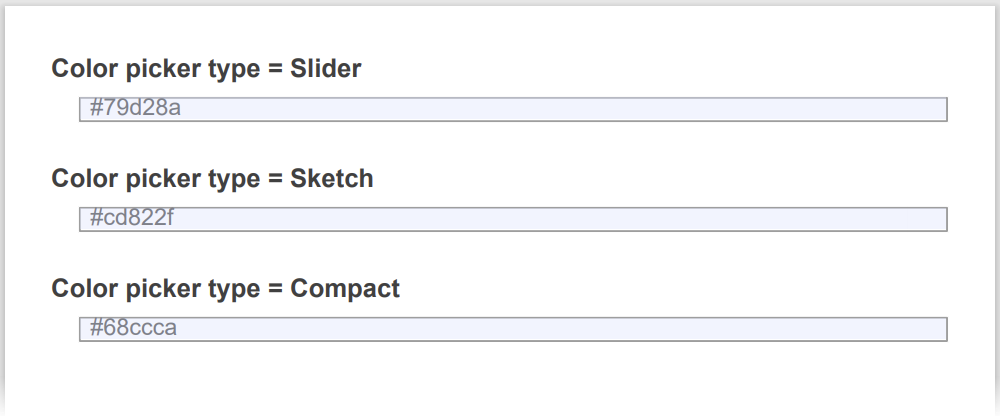
The image below illustrates the result:
 [View CodeSandbox Example](https://codesandbox.io/p/sandbox/surveyjs-pdf-generator-use-a-predefined-renderer-forked-7xsdsm (linkStyle))
## Implement a Custom PDF Brick
If none of the previous options is suitable for your scenario, you can implement a custom PDF brick that uses a [jsPDF API](https://raw.githack.com/MrRio/jsPDF/master/docs/jsPDF.html) to render your custom question. Create a custom class that extends the [`PdfBrick`](https://surveyjs.io/pdf-generator/documentation/api-reference/pdfbrick) class. Within this custom class, implement the `renderInteractive()` method. In the following code, it calls the [`setFillColor()`](https://artskydj.github.io/jsPDF/docs/jsPDF.html#setFillColor) and [`rect()`](https://artskydj.github.io/jsPDF/docs/jsPDF.html#rect) jsPDF methods to render a custom Color question as a rectangle filled with a selected color.
```js
import { PdfBrick } from "survey-pdf";
class CustomPdfBrick extends PdfBrick {
async renderInteractive() {
const doc = this.controller.doc;
let oldFillColor = doc.getFillColor();
doc.setFillColor(this.question.value || "black");
doc.rect(this.xLeft, this.yTop, this.width, this.height, "F");
doc.setFillColor(oldFillColor);
}
}
```
To use this custom PDF brick, you need to configure a custom renderer. Create a custom class that extends the `FlatQuestion` class and implement the `generateFlatsContent()` method within it. This method accepts a drawing start point and returns an array of PDF bricks. Register the custom class as a renderer for your custom question type (`"color-picker"` in the code below).
```js
import { FlatRepository, FlatQuestion } from "survey-pdf";
/** Custom PDF brick configuration goes here */
class FlatCustomColor extends FlatQuestion {
async generateFlatsContent(point) {
const rect = { ...point };
rect.yBot = point.yTop + 20;
rect.xRight = point.xLeft + 100;
return [new CustomPdfBrick(this.question, this.controller, rect)];
}
}
FlatRepository.register("color-picker", FlatCustomColor);
```
The following image demonstrates the exported PDF document:
[View CodeSandbox Example](https://codesandbox.io/p/sandbox/surveyjs-pdf-generator-use-a-predefined-renderer-forked-7xsdsm (linkStyle))
## Implement a Custom PDF Brick
If none of the previous options is suitable for your scenario, you can implement a custom PDF brick that uses a [jsPDF API](https://raw.githack.com/MrRio/jsPDF/master/docs/jsPDF.html) to render your custom question. Create a custom class that extends the [`PdfBrick`](https://surveyjs.io/pdf-generator/documentation/api-reference/pdfbrick) class. Within this custom class, implement the `renderInteractive()` method. In the following code, it calls the [`setFillColor()`](https://artskydj.github.io/jsPDF/docs/jsPDF.html#setFillColor) and [`rect()`](https://artskydj.github.io/jsPDF/docs/jsPDF.html#rect) jsPDF methods to render a custom Color question as a rectangle filled with a selected color.
```js
import { PdfBrick } from "survey-pdf";
class CustomPdfBrick extends PdfBrick {
async renderInteractive() {
const doc = this.controller.doc;
let oldFillColor = doc.getFillColor();
doc.setFillColor(this.question.value || "black");
doc.rect(this.xLeft, this.yTop, this.width, this.height, "F");
doc.setFillColor(oldFillColor);
}
}
```
To use this custom PDF brick, you need to configure a custom renderer. Create a custom class that extends the `FlatQuestion` class and implement the `generateFlatsContent()` method within it. This method accepts a drawing start point and returns an array of PDF bricks. Register the custom class as a renderer for your custom question type (`"color-picker"` in the code below).
```js
import { FlatRepository, FlatQuestion } from "survey-pdf";
/** Custom PDF brick configuration goes here */
class FlatCustomColor extends FlatQuestion {
async generateFlatsContent(point) {
const rect = { ...point };
rect.yBot = point.yTop + 20;
rect.xRight = point.xLeft + 100;
return [new CustomPdfBrick(this.question, this.controller, rect)];
}
}
FlatRepository.register("color-picker", FlatCustomColor);
```
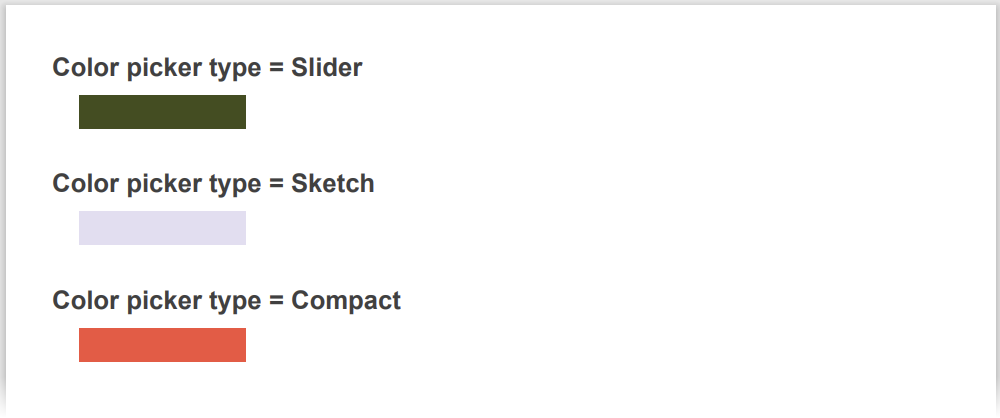
The following image demonstrates the exported PDF document:
 [View CodeSandbox Example](https://codesandbox.io/p/sandbox/focused-agnesi-qcn488 (linkStyle))