Pollarix — AI Survey Creation Platform
About Pollarix
The manager of a 40-room boutique hotel has two weeks before the summer season and one question: what should we fix first? The people who know are last month's guests. The hard part is asking them well. A good survey takes hours to write, and a quick one tends to ask leading questions, bundle two topics into one, or forget the answer someone actually needs.
Pollarix is a survey platform built to close that gap. A user writes a short brief, and the AI survey generator—Pollarix AI—drafts a complete survey, checks it, and hands it over for editing. Pollarix then sends the survey by web link, QR code, email or SMS, and reads the open-ended answers back as themes and emotions.
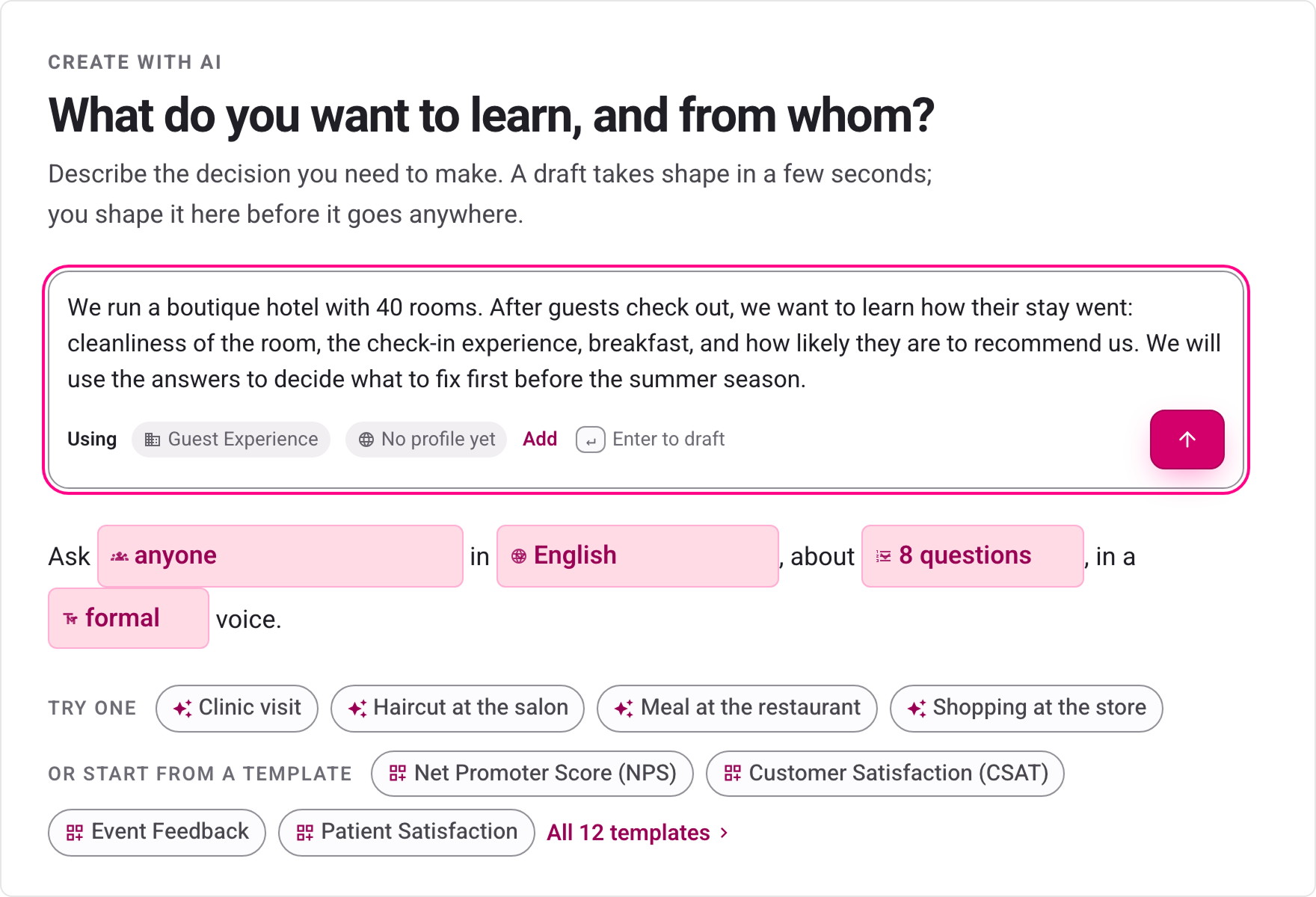
Fig. 1. Every Pollarix AI draft starts here: a paragraph about who to ask, what to learn and what will be decided with the answers.
An AI draft is only useful if it is checked before it is presented as ready to use. That constraint drove every technical decision we made, and it is why Pollarix is built on SurveyJS. We are pre-launch; every number in this article comes from our own internal testing.
The Application: AI That Drafts a Survey, Then Checks It
A Pollarix AI draft moves through five steps:
- Brief – The user describes the audience and the goal, in any language.
- Draft – Questions stream onto the page one at a time, so the user can start editing before the draft is finished.
- Check – Before the draft is shown as ready, it is loaded into a real SurveyJS model and checked. We call this validate-before-display.
- Review – A readiness verdict and eleven wording and structure checks point at anything a careful survey writer would change, most with a one-click fix.
- Edit and send – The survey opens in Survey Creator, with an AI assistant beside the canvas. Respondents get the same JSON, rendered by the SurveyJS Form Library.
Pollarix AI is our own layer. SurveyJS gives it two things it could not work without: a complete, machine-readable definition of what a survey can be and an engine that can tell us whether a survey works.
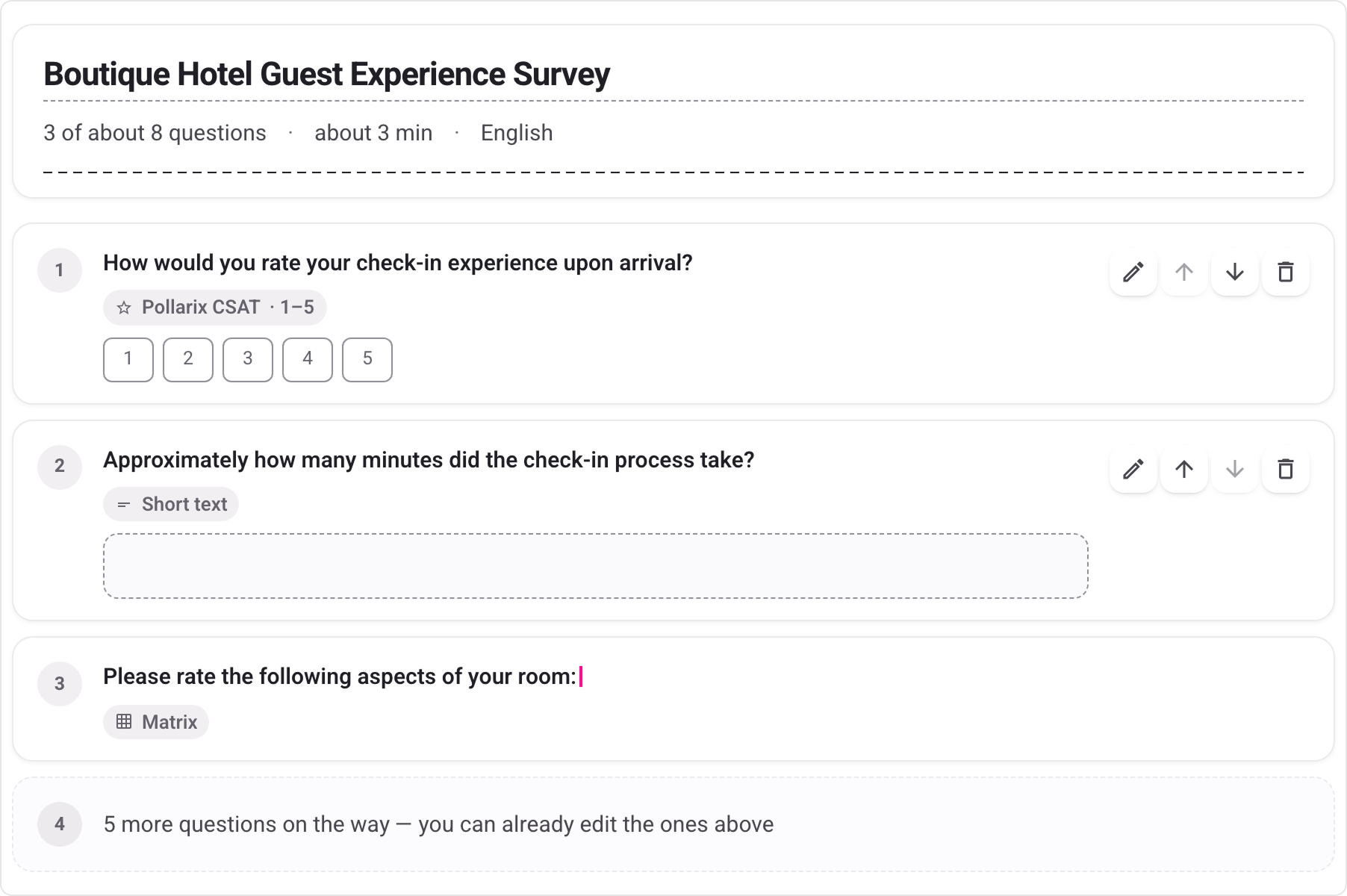
Fig. 2. Questions arrive one by one. Cards that are already complete can be edited while the rest are still being written.
Why We Chose SurveyJS
A Machine-Readable Schema — Pollarix AI Can Only Write Real Questions
We never hand-wrote a description of question types for the AI. Our AI service reads SurveyJS Serializer metadata using Serializer.getChildrenClasses('question') for question types and Serializer.getProperties() for each type's properties, then turns that metadata into the schema every draft must follow. When a SurveyJS upgrade adds or changes a property, the schema follows on its own. Drafts are also limited to the question types the customer's plan includes, so anything Pollarix AI writes can be saved.
One lesson for anyone flattening that metadata into a single schema: property names collide across types. rows is a number on a comment question and an array on a matrix. Our first flattened schema kept whichever definition it met first, so drafts came back with unusable matrices. Now the array shape wins when types disagree, and array-shaped rows and columns are stripped from types that do not use them.
A Real Survey Model — To Check Every Draft Before It Is Marked Ready
Every draft is loaded into a Model from survey-core, and we inspect its jsonErrors. This detects unknown properties and unknown element types encountered while loading the survey. It does not catch everything: early on, Pollarix AI wrote a required choice question with no choices, and a matrix with rows but no columns. SurveyJS loaded both without complaint, and neither could ever be answered.
Valid SurveyJS JSON is not the same as a survey someone can answer. SurveyJS tells us what is valid; we still have to ask what is usable.
So we added answerability checks on top of the model. When a check fails, the errors go back to Pollarix AI for up to two repair passes. Whatever still cannot be answered is removed, and broken logic expressions are dropped rather than shipped. Then come the checks a careful survey writer would make: two questions in one, leading or negative wording, mismatched scales, overlapping answer ranges, a missing "Other" option, and logic that can never fire. Most fixes edit the SurveyJS JSON directly.
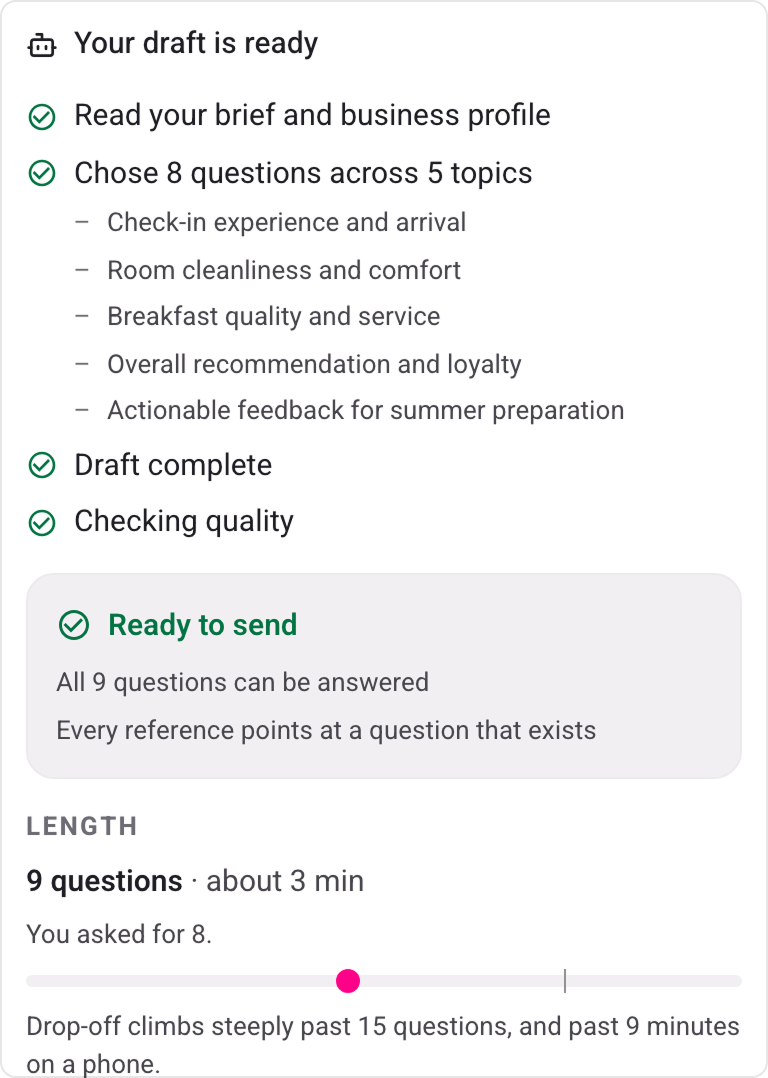
Fig. 3. The readiness verdict: every question can be answered, every logic reference points at a question that exists, and the estimated completion time.
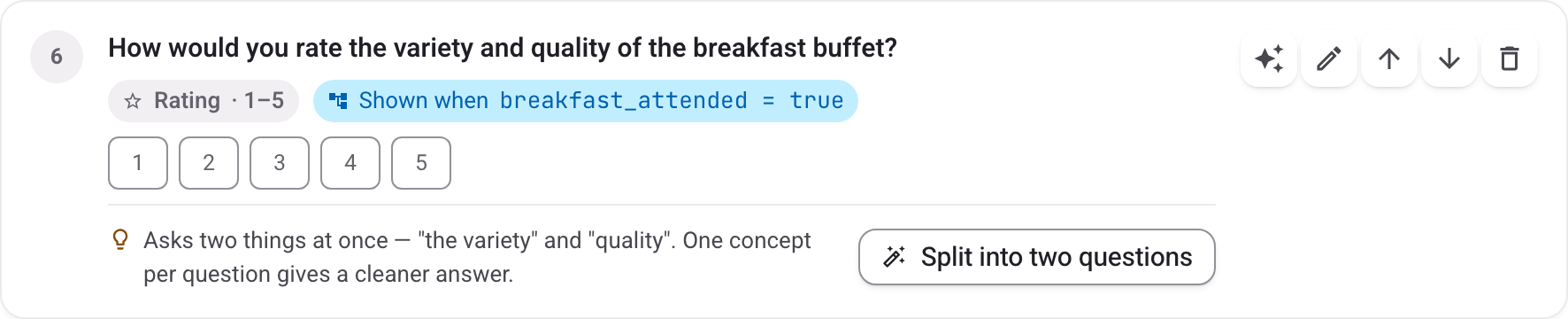
Fig. 4. "Variety and quality" is two questions in one. The fix splits it into two SurveyJS questions with one click.
Survey Creator as the Editing Surface — AI Draft Is an Ordinary Survey
Saving opens the draft in Survey Creator, inside our own interface. There is no special "AI survey" format to maintain: the Designer, Logic, Translations and JSON tabs all work on what Pollarix AI wrote, exactly as they would on a survey built by hand. Our own question presets sit in the Creator toolbox beside the standard types, and the custom properties we need are registered through the same Serializer the AI schema is built from.
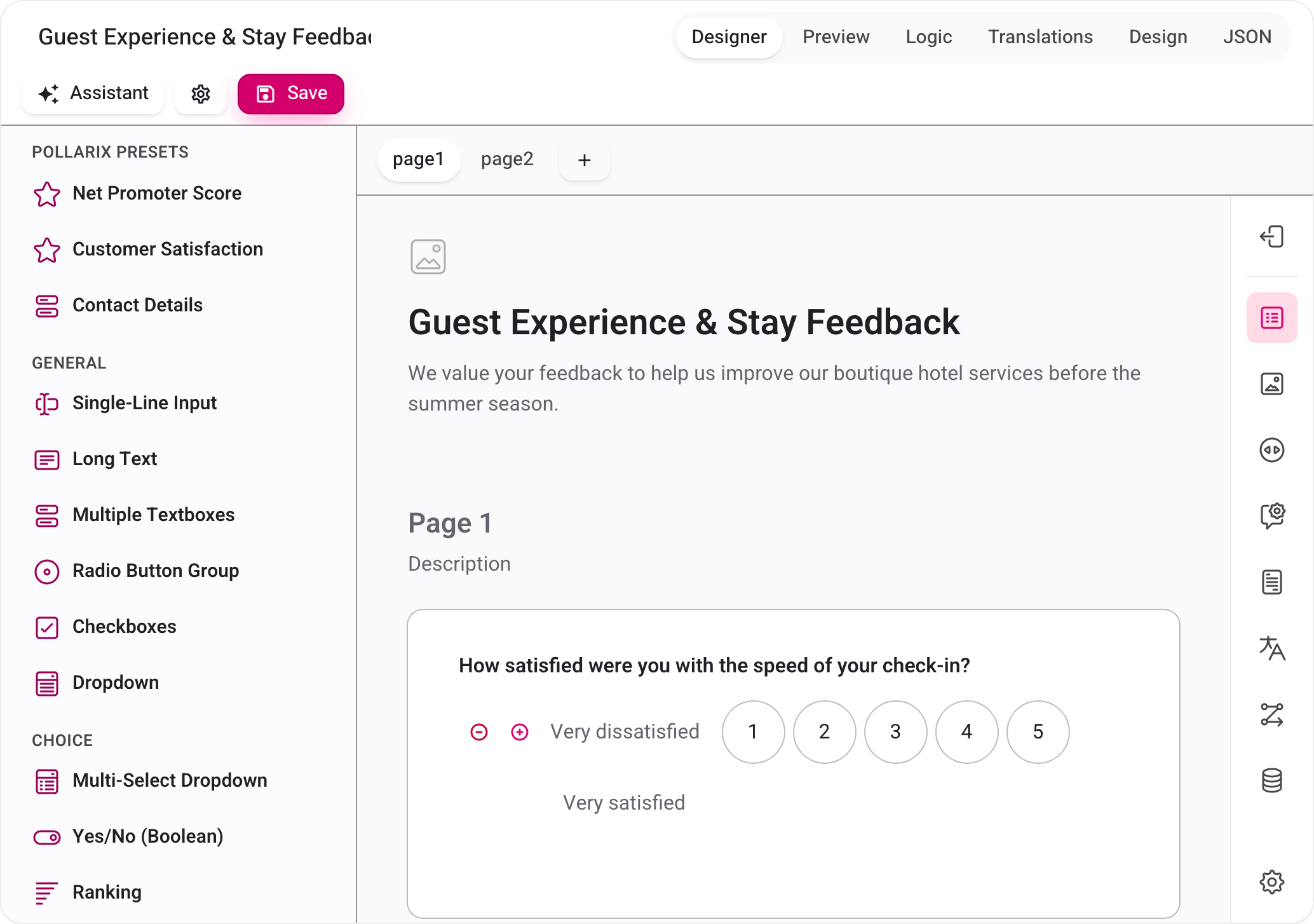
Fig. 5. An AI draft open in Survey Creator, with Pollarix presets in the toolbox and the standard rating controls on the canvas.
Undo Transactions — Every AI Edit Can Be Taken Back
The AI assistant works inside Survey Creator. Users ask for changes in plain language, such as "make question 3 more neutral", and see them land on the canvas. The assistant never replaces creator.JSON, because that resets Creator's undo stack. Instead, each change is applied to the live survey model inside creator.undoRedoManager.startTransaction(), so every AI edit is a separate step in Creator's own undo history. We call these reversible AI edits.
Edits that change a survey's shape are approval-gated, even though they can be undone. Removing a question, adding a page, changing logic, or moving more than three questions waits for the user to approve it.
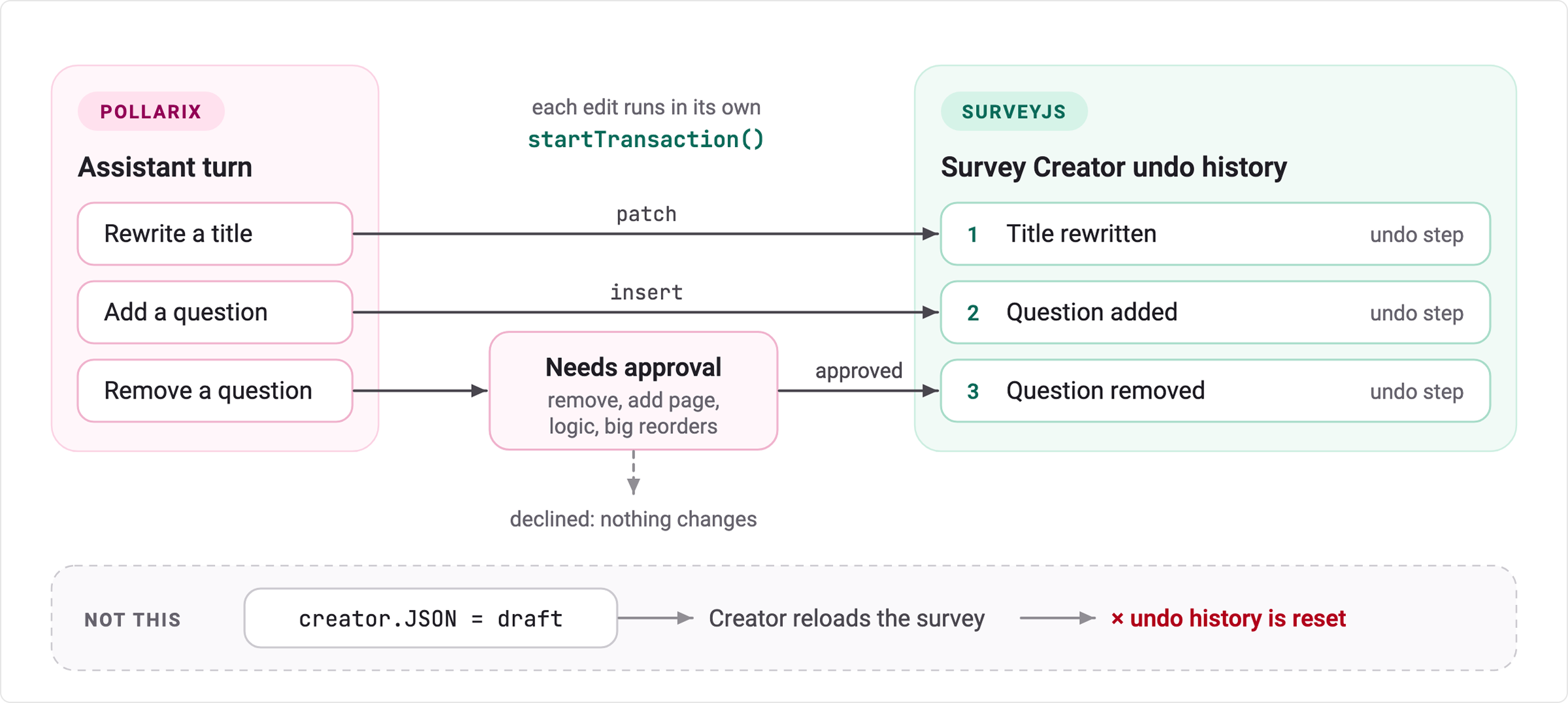
Fig. 6. Each assistant edit runs in its own Creator transaction and becomes one step in the undo history. Edits that change the survey's shape wait for approval. Replacing creator.JSON would have reset that history.
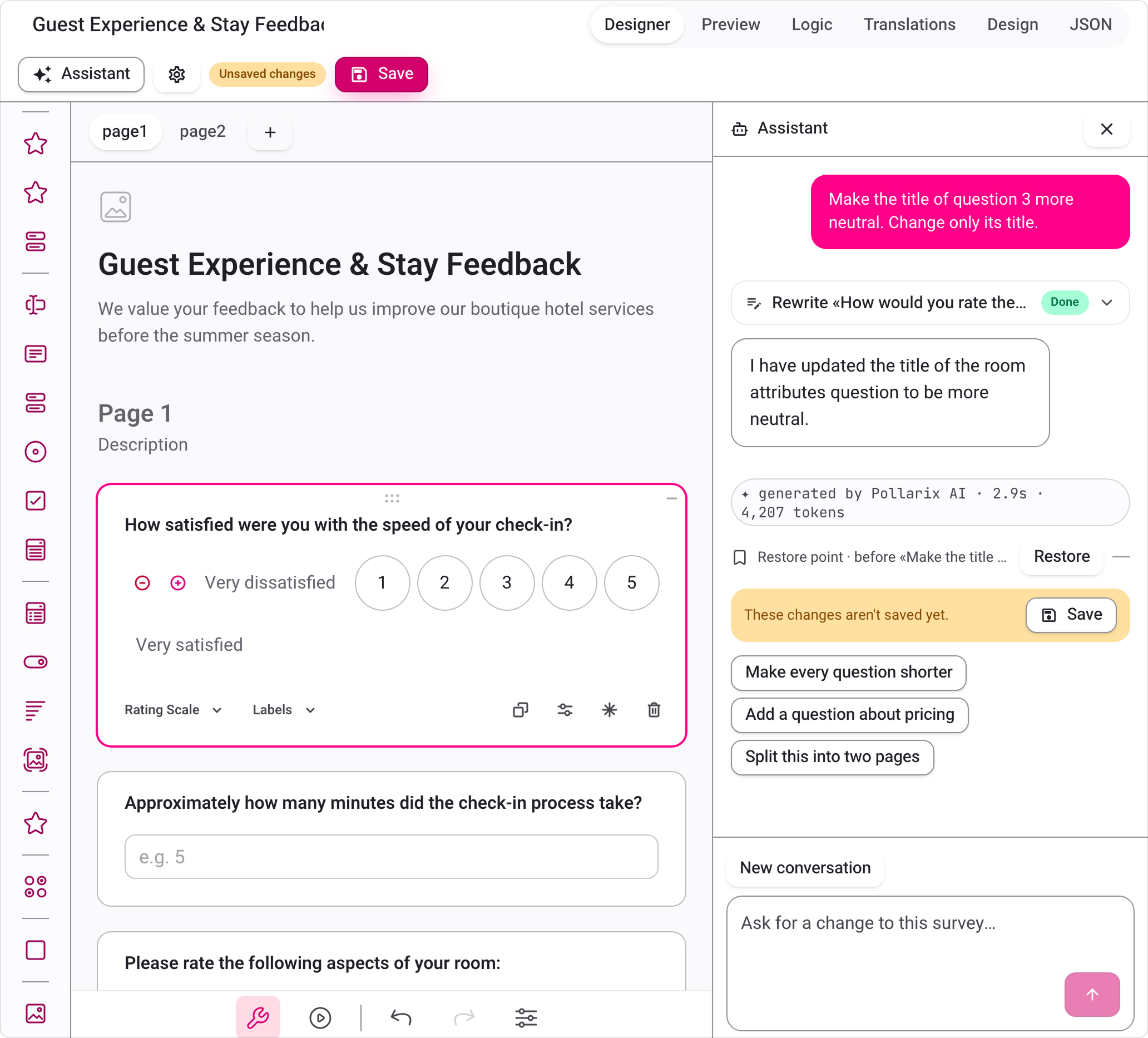
Fig. 7. The assistant rewrites one question's title. The panel confirms the change, shows it as Pollarix AI's work, and adds a restore point.
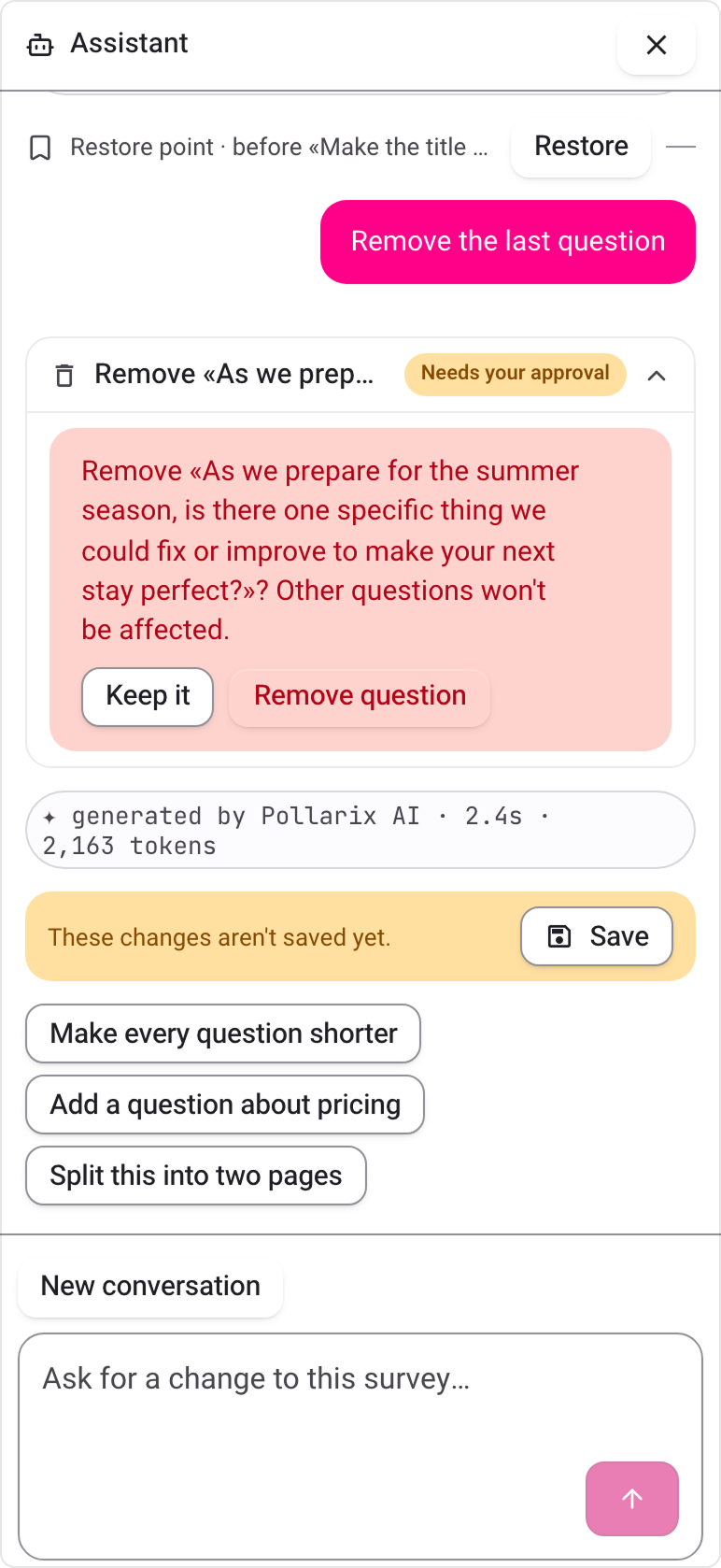
Fig. 8. Removing a question needs the user's approval first.
Custom Renderers — Respondents See Our Design While Creator Keeps Its Tools
Respondents see Pollarix's own design system. We register 17 custom React renderers through ReactQuestionFactory, and SurveyJS keeps the model, validation and logic underneath. We learned one thing the hard way here. On Creator's design surface, our renderers hid the controls Creator adds in design mode, such as the add and remove buttons on a rating scale and on each choice. So in design mode we hand seven question types back to the stock SurveyJS components, and Creator's editing tools work as designed. Previews and respondents still get our renderers.
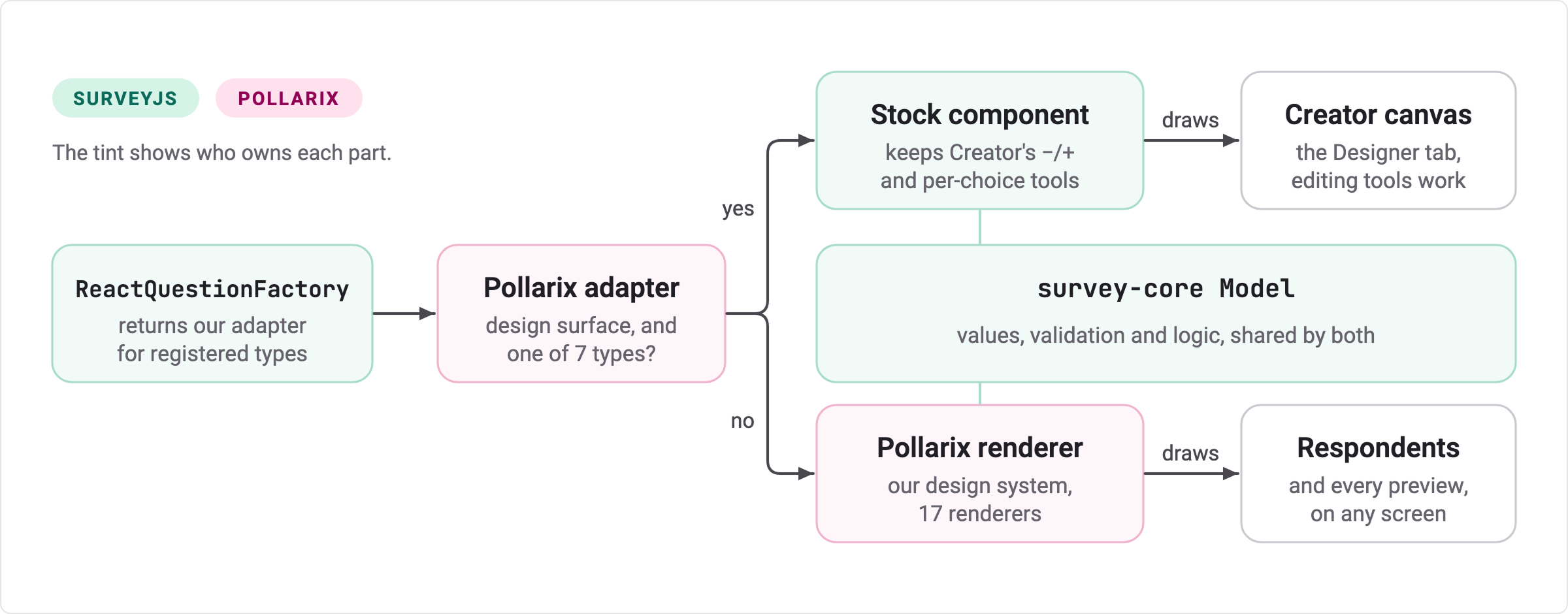
Fig. 9. One survey model, two kinds of components. On Creator's design surface, seven question types use the stock SurveyJS components so Creator's editing tools work. Previews and respondents get Pollarix renderers.
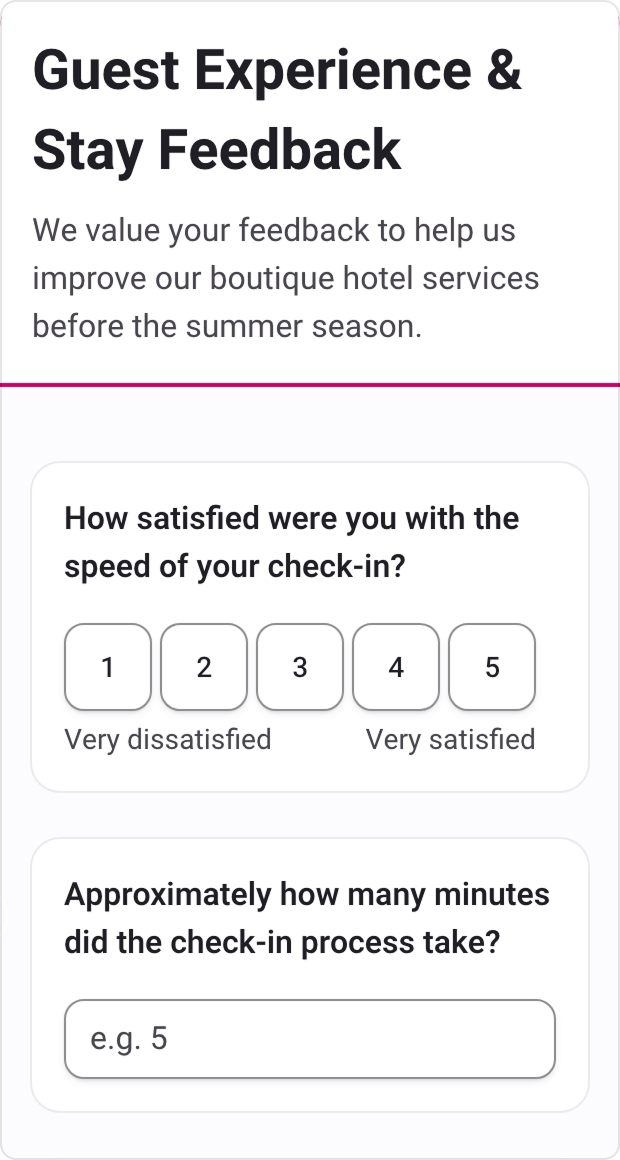
Fig. 10. The same survey at phone width, rendered by the SurveyJS Form Library with Pollarix's own question renderers.
Our Own Theme Format — Major Upgrades Require Changes in Just One Compiler
We store themes in our own format and compile them to SurveyJS themes. When SurveyJS v3 replaced its design tokens, we changed that one compiler and did not have to rewrite a single saved theme.
Results from Internal Testing
These numbers come from Pollarix's own testing in September and October 2026. We have no customer results to report yet.
| What we measured | Result | How |
|---|---|---|
| Accuracy of the wording and structure checks | No false alarms (precision 1.00); 95% of problems caught (recall 0.95) | 40 AI-written drafts, labelled by hand; the held-out half scored 1.00 and 0.93 |
| Time to a complete draft | Half within about 12 seconds; nine in ten within about 40 | 15 drafts written by our team |
| Drafts marked ready without the survey-engine check | None | Every draft passes the survey-engine check before it is shown as ready |
Our CI fails any change that drops the checks' precision below 0.9. The wording checks read English and Hebrew today, while the structure checks work in every language. A recall of 0.95 means some problems still slip through, which is one more reason every draft ends in Survey Creator for a person to review.
SurveyJS Products Used
- Survey Creator – The editing surface for every Pollarix survey, including AI drafts: Designer, Logic, Translations and JSON.
- SurveyJS Form Library for React – Validates every AI draft, supplies the metadata Pollarix AI's schema is built from, and renders surveys for respondents and previews.
All SurveyJS packages are pinned to the same version and upgraded together. We are on v3.2.0.
Experience Working with SurveyJS
We started building on SurveyJS before we had written a line of AI code, and that order mattered. The JSON schema gave Pollarix AI something precise to aim at, and the model gave us a way to check its work. Our questions to the SurveyJS team were about Creator internals, not basics, and the answers dealt with our actual setup. The v3 upgrade was smoother than we expected, and when we needed more time before launch, the team made room for us.
SurveyJS is the reason an AI draft in Pollarix opens in the editor ready to edit, not ready to debug.
