SurveyJS v3.2.4
Released: November 3, 2026
SurveyJS v3.2.4 includes a breaking change to Dynamic Matrix values: empty rows are now retained as empty objects. It also introduces a Tailwind CSS v4 theme adapter, read-only view mode, and keyboard hints, along with bug fixes and minor enhancements.
[Breaking Change] Dynamic Matrix no longer returns undefined when it has empty rows
Dynamic Matrix now retains empty rows as empty objects ({}) in its value, including empty rows at the end of the matrix. When all rows are empty, the value is an array such as [{}, {}] instead of undefined. This behavior matches Dynamic Panel.
| Matrix contents | Value |
|---|---|
| No rows | undefined |
| Two empty rows | [{}, {}] |
| An answered row between two empty rows | [{}, { "product": "Laptop" }, {}] |
If your application uses undefined to identify an unanswered matrix, update both the application code and response processing to account for empty row objects. Use isEmpty() to check whether a matrix is unanswered. It returns true when all rows are empty:
const matrix = survey.getQuestionByName("orders");
const isUnanswered = matrix.isEmpty();
New Tailwind CSS Theme Adapter
Bring your Tailwind design straight into your SurveyJS forms. The new Tailwind CSS v4 theme adapter puts your application's fonts, spacing, and corner radius to work in forms built from JSON. Compact controls and familiar Tailwind styling help your forms feel like a natural part of your app, with no need to style each control by hand.
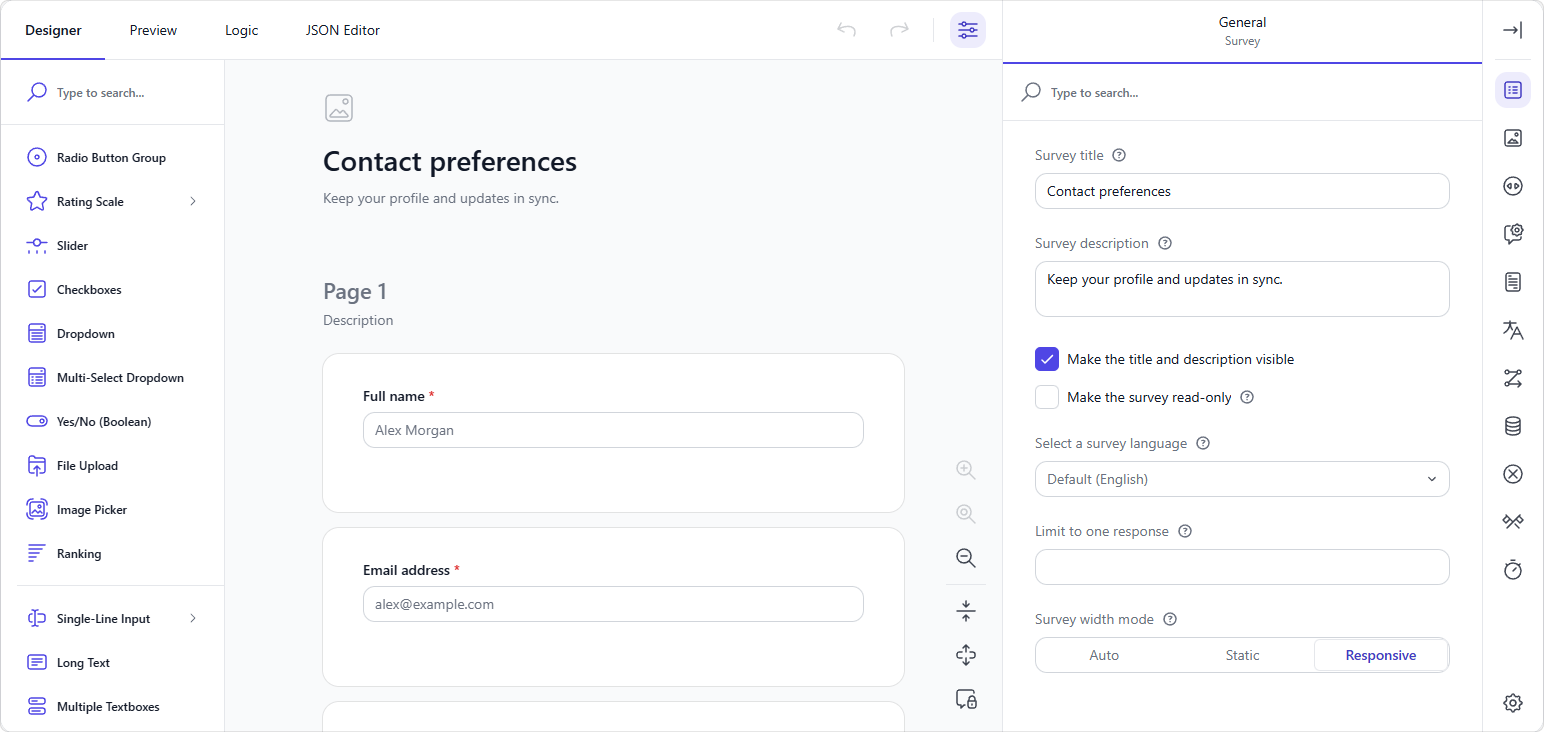
Get started by importing the adapter after the core SurveyJS stylesheet:
import "survey-core/survey-core.css";
import "survey-core/themes/adapters/tailwind4.css";
Make it your own with semantic color variables such as --color-primary, --color-card, and --color-foreground. The adapter picks up these colors when your application defines them.
@import "tailwindcss";

@theme static {
  --color-primary: #4f46e5;
  --color-primary-foreground: #fff;
  --color-ring: #6366f1;
}
See it in action in the demo: a native Tailwind form and a JSON-defined SurveyJS form share the same theme controls. Switch from light to dark, try a new primary color, or change the corner radius—both forms update together.
Demo: Tailwind CSS Theme Adapter in Form Library
Demo: Tailwind CSS Theme Adapter in Survey Creator
Documentation: Tailwind CSS v4 Theme Adapter
Read-Only View Mode
Give completed forms a clear, easy-to-read presentation. The new view mode displays read-only answers as text or other non-interactive elements, making it easier to review responses and share completed forms.
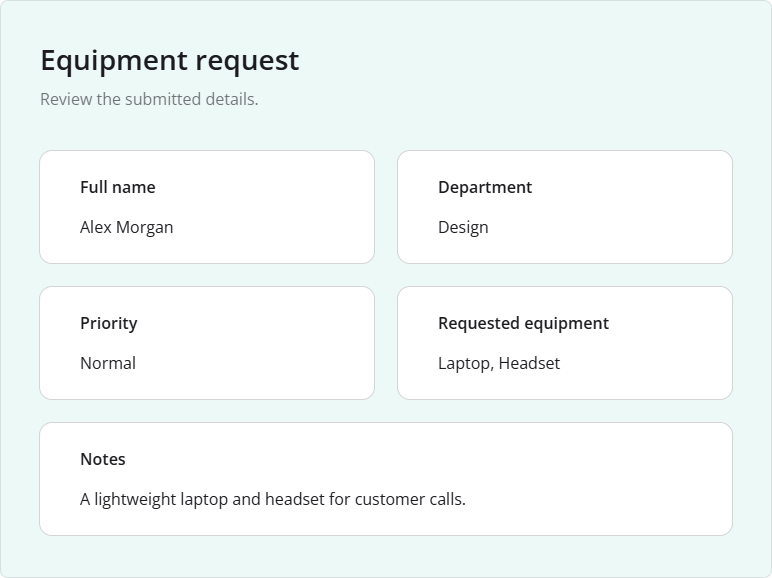
To enable view mode for the entire form, set readOnly to true and readOnlyMode to "view":
// Option 1: In JavaScript
survey.readOnly = true;
survey.readOnlyMode = "view";
// Option 2: In the survey JSON schema
{
  "readOnly": true,
  "readOnlyMode": "view"
}
You can also set readOnlyMode on individual questions, panels, or pages to control how they appear when read-only.
Demo: Read-Only / Display Mode
Keyboard Hints
Help respondents move through your forms with the keyboard. New keyboard hints appear beneath supported questions and show the available keys, such as arrow keys to select an answer, Space to toggle a choice, and Enter to continue or submit. The hints adapt to the question type and settings.
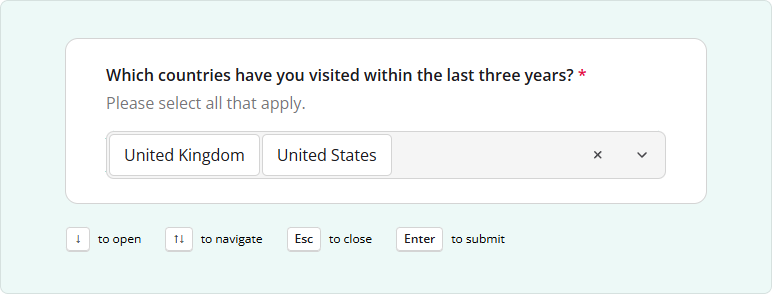
To display hints across a survey, enable the showKeyboardHints property:
// Option 1: In JavaScript
survey.showKeyboardHints = true;
// Option 2: In the survey JSON schema
{
  "showKeyboardHints": true
}
You can override the survey-wide setting for individual questions using their showKeyboardHints property.
Hints are hidden on touch devices, in read-only or preview mode, for collapsed questions, and inside matrix cells.
Bug Fixes and Minor Enhancements
Form Library
- Dynamic Matrix / Dynamic Panel: Expression values are calculated only for rendered rows or panels, causing incorrect aggregation, sorting, and filtering with paging or JSON-defined criteria (#12156)
- Multiple Textboxes:
focusFirstQuestiondoesn't focus the first input (#12165) - Dynamic Matrix: Comment box has insufficient spacing (#12180)
- [Vue 3] Navigation bar doesn't reappear when its buttons are shown again after being hidden (#12195)
- Multi-Select Dropdown (Tag Box): Pressing Tab with the dropdown open deselects the last item selected using Enter (#12168)
Survey Creator
- Toolbox is displayed incorrectly when
toolboxLocationis set to"sidebar"(#7551) - MUI Theme Adapter: Property Grid layout breaks at narrow screen widths (#8110)
Dashboard
- Table View does not switch to RTL layout when an RTL language is selected (#538)
PDF Generator
- Checkboxes: Items are misaligned in generated PDFs with a two-column layout when "Other" is enabled or an item has a long caption (#586)
- Field values overlap question titles in generated PDFs when
questionTitleLocationis set to"bottom"(#585)
How to Update SurveyJS Libraries in Your Application
To update your application to SurveyJS v3.2.4, install the packages you use or replace your existing script and stylesheet links with the versioned links below:
Angular
npm i survey-core@3.2.4 survey-angular-ui@3.2.4
npm i survey-creator-core@3.2.4 survey-creator-angular@3.2.4
npm i survey-analytics@3.2.4
npm i survey-pdf@3.2.4
React
npm i survey-core@3.2.4 survey-react-ui@3.2.4
npm i survey-creator-core@3.2.4 survey-creator-react@3.2.4
npm i survey-analytics@3.2.4
npm i survey-pdf@3.2.4
Vue.js
npm i survey-core@3.2.4 survey-vue3-ui@3.2.4
npm i survey-creator-core@3.2.4 survey-creator-vue@3.2.4
npm i survey-analytics@3.2.4
npm i survey-pdf@3.2.4
HTML/CSS/JavaScript
<link href="https://unpkg.com/survey-core@3.2.4/survey-core.min.css" type="text/css" rel="stylesheet">
<script type="text/javascript" src="https://unpkg.com/survey-core@3.2.4/survey.core.min.js"></script>
<script type="text/javascript" src="https://unpkg.com/survey-js-ui@3.2.4/survey-js-ui.min.js"></script>

<script src="https://unpkg.com/survey-core@3.2.4/themes/index.min.js"></script>

<link href="https://unpkg.com/survey-creator-core@3.2.4/survey-creator-core.min.css" type="text/css" rel="stylesheet">
<script src="https://unpkg.com/survey-creator-core@3.2.4/survey-creator-core.min.js"></script>
<script src="https://unpkg.com/survey-creator-js@3.2.4/survey-creator-js.min.js"></script>

<link href="https://unpkg.com/survey-analytics@3.2.4/survey.analytics.min.css" rel="stylesheet">
<script src="https://unpkg.com/survey-analytics@3.2.4/survey.analytics.min.js"></script>

<link href="https://unpkg.com/survey-analytics@3.2.4/survey.analytics.tabulator.min.css" rel="stylesheet">
<script src="https://unpkg.com/survey-analytics@3.2.4/survey.analytics.tabulator.min.js"></script>

<script src="https://unpkg.com/survey-pdf@3.2.4/survey.pdf.min.js"></script>
<script src="https://unpkg.com/survey-pdf@3.2.4/pdf-form-filler.min.js"></script>
If you are upgrading from v2.x, review the breaking changes introduced in SurveyJS v3.0 and subsequent updates.