Luftsportjugend — Multilingual Registration Platform for International Youth Camps
About Luftsportjugend and the Franco-German Youth Office
Luftsportjugend, or Air Sports Youth is the dedicated youth organization of the Deutscher Aero Club (DAeC), the governing body for air sports in Germany. It represents and supports children and young adults up to the age of 27 who are active in aviation and air sports clubs across the country.
Among its activities, Luftsportjugend organizes international youth camps that bring together young people from Germany, France, and other countries. These camps are organized and run on a voluntary basis and are supported by the Franco-German Youth Office (FGYO). The FGYO promotes cooperation, mutual understanding, language learning, and intercultural exchange between young people from both countries.
For camp organizers, this mission creates a registration process that is more complex than a standard event sign-up form. Each camp may involve:
- Participants from different countries
- Multilingual communication
- Eligibility requirements
- Consent forms
- Emergency contact details
- Travel information
- Administrative workflows shared across volunteer coordinators
Existing registration tools and generic form services did not provide the level of flexibility required to support this process efficiently.
To address these challenges, Luftsportjugend developed a web-based registration platform for international youth camps, with SurveyJS at the core of the registration experience.
The Application: A Reusable Registration Platform for Youth Camps
The resulting application is a web-based registration platform built specifically for the needs of international youth camps. Its central component are highly customizable registration forms powered by SurveyJS Form Library and configured through SurveyJS Creator.
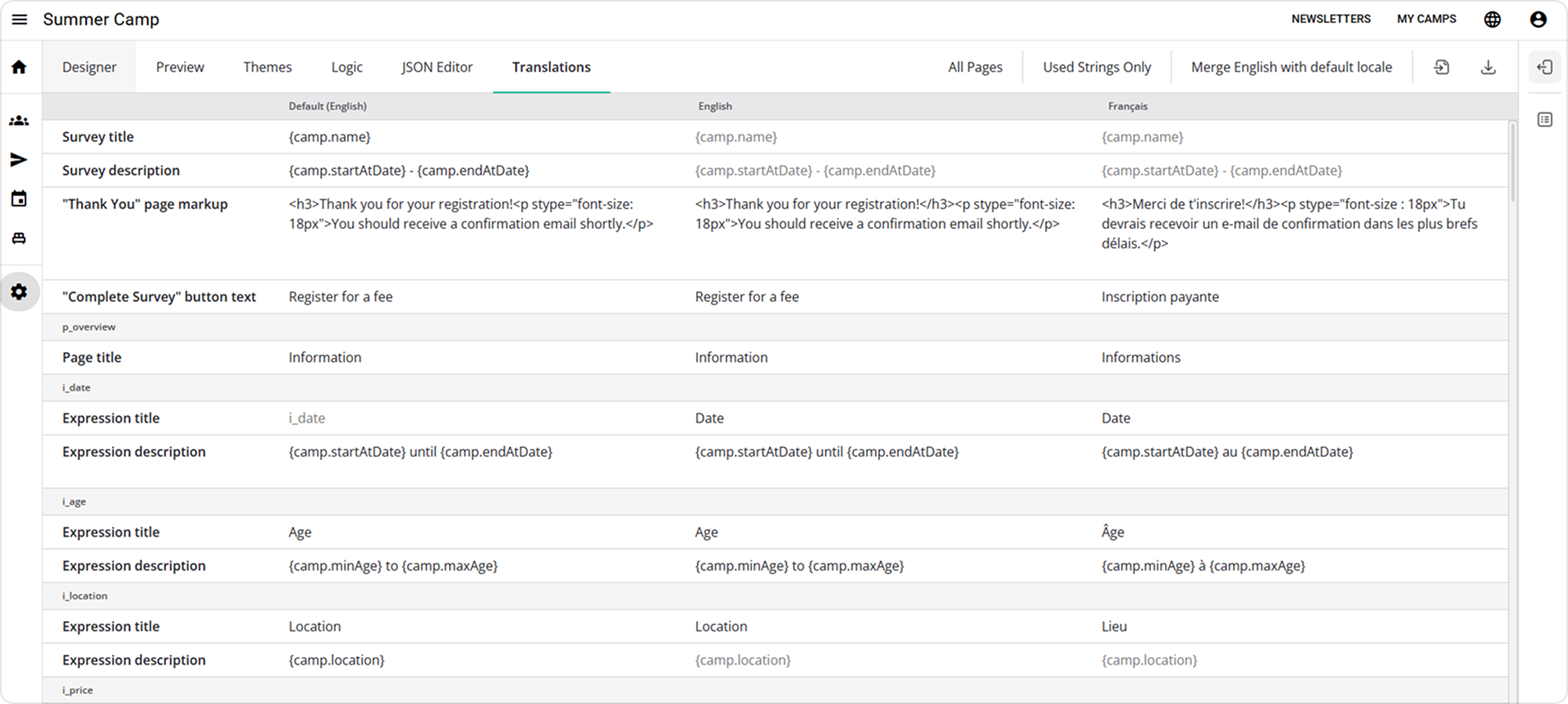
Camp coordinators can tailor registration forms to the requirements of each camp. They can define default values, update labels and descriptions, translate content, test the registration experience in preview mode, and adjust the form without changing the application code.
The form supports complex registration scenarios, including:
- Conditional logic for minors
- Dynamic emergency contact fields
- Country-specific questions
- File uploads
- Consent statements
- Eligibility rules
This allows the same platform to serve different camps while preserving a consistent structure for the data collected.
Why Did You Choose SurveyJS
SurveyJS was selected because the project required more than a static form builder. The application needed an embeddable form engine that could be deeply integrated into a custom registration workflow while still allowing non-technical users to edit form content.
The flexibility of the SurveyJS API made it possible to extend standard form functionality with camp-specific behavior. For example, the application includes custom question types and custom properties that simplify coordination tasks.
These extensions help organizers restrict country selection based on available places, validate date-of-birth input against a defined age range, and tag key questions that contain essential operational data.
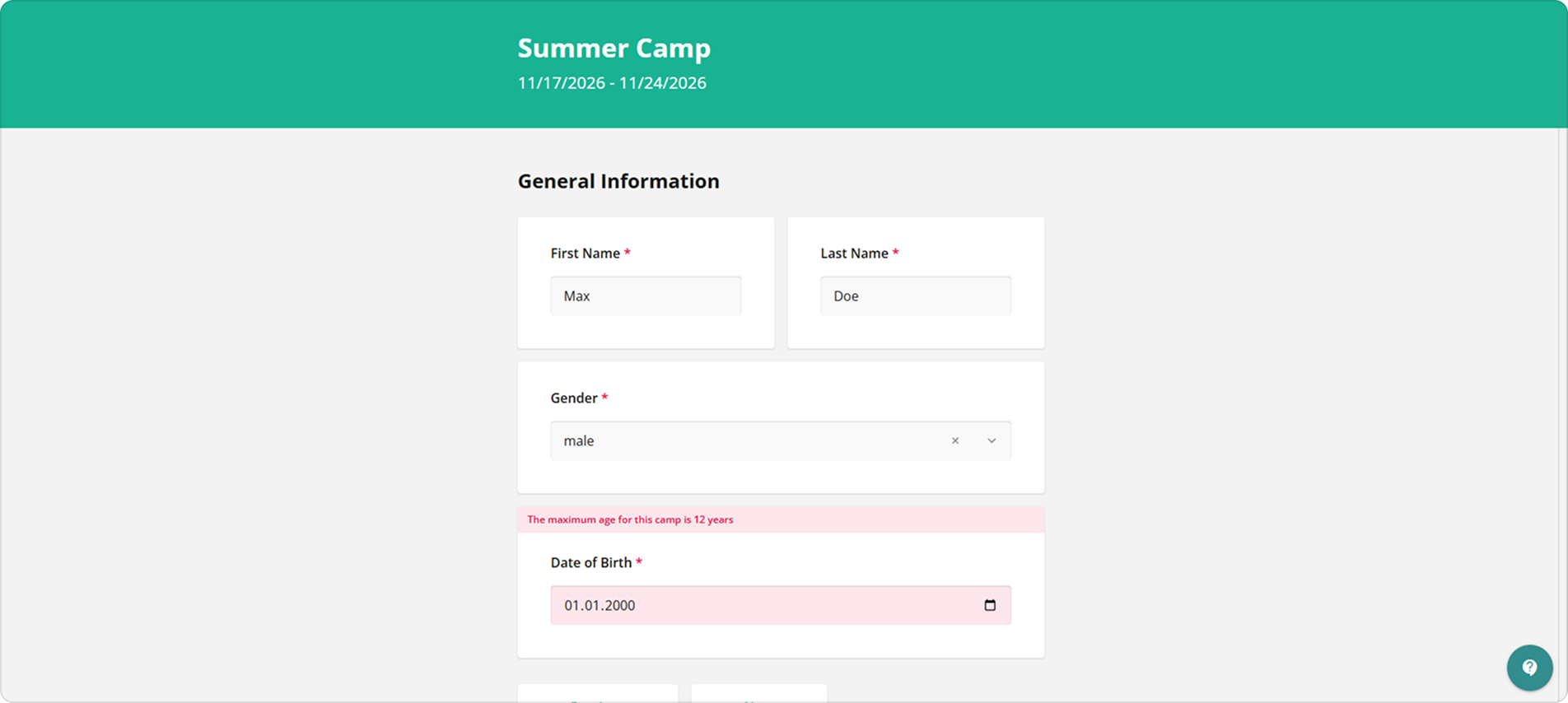
This level of customization was important because the registration process depends on business rules that change from camp to camp. A camp may have a specific age range, different participation options, or different requirements for participants from Germany and France. With SurveyJS, these rules can be expressed as part of the form configuration and reused across the application.
Dynamic Variables for Reusable Camp Forms
One of the key requirements was reusability. Camp registration forms often contain repeated information such as the camp name, start and end dates, price, location, or age requirements. If these values are hard-coded into titles, descriptions, validation messages, or email templates, each new camp requires many manual updates.
To avoid this, the application defines key camp parameters as variables. These variables can be inserted into form content and rendered dynamically. When a new camp is created or existing camp details change, organizers can update the underlying values once rather than manually editing every occurrence across the registration form.
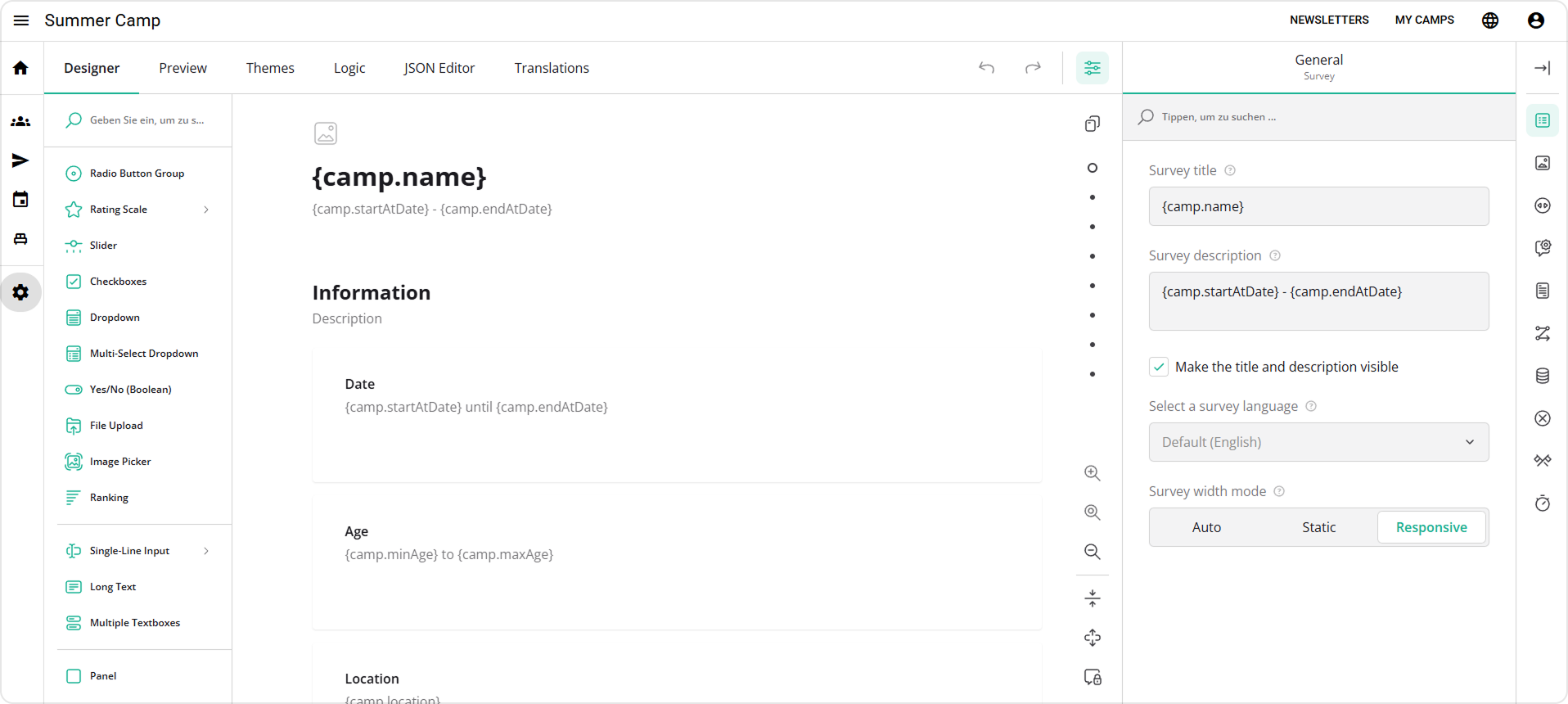
This approach makes forms easier to maintain from year to year. It also reduces the risk of inconsistent information appearing in different parts of the registration process.
Form Editing for Non-Technical Coordinators
Although the application is custom-built, not every change should require developer involvement. SurveyJS Creator gives camp coordinators a visual interface for editing registration forms. They can modify questions, update labels, adjust translations, add explanatory text, and preview the participant-facing experience before publishing changes.
By exposing selected form configuration options through SurveyJS Creator, the platform gives organizers more independence while keeping the underlying data model controlled.
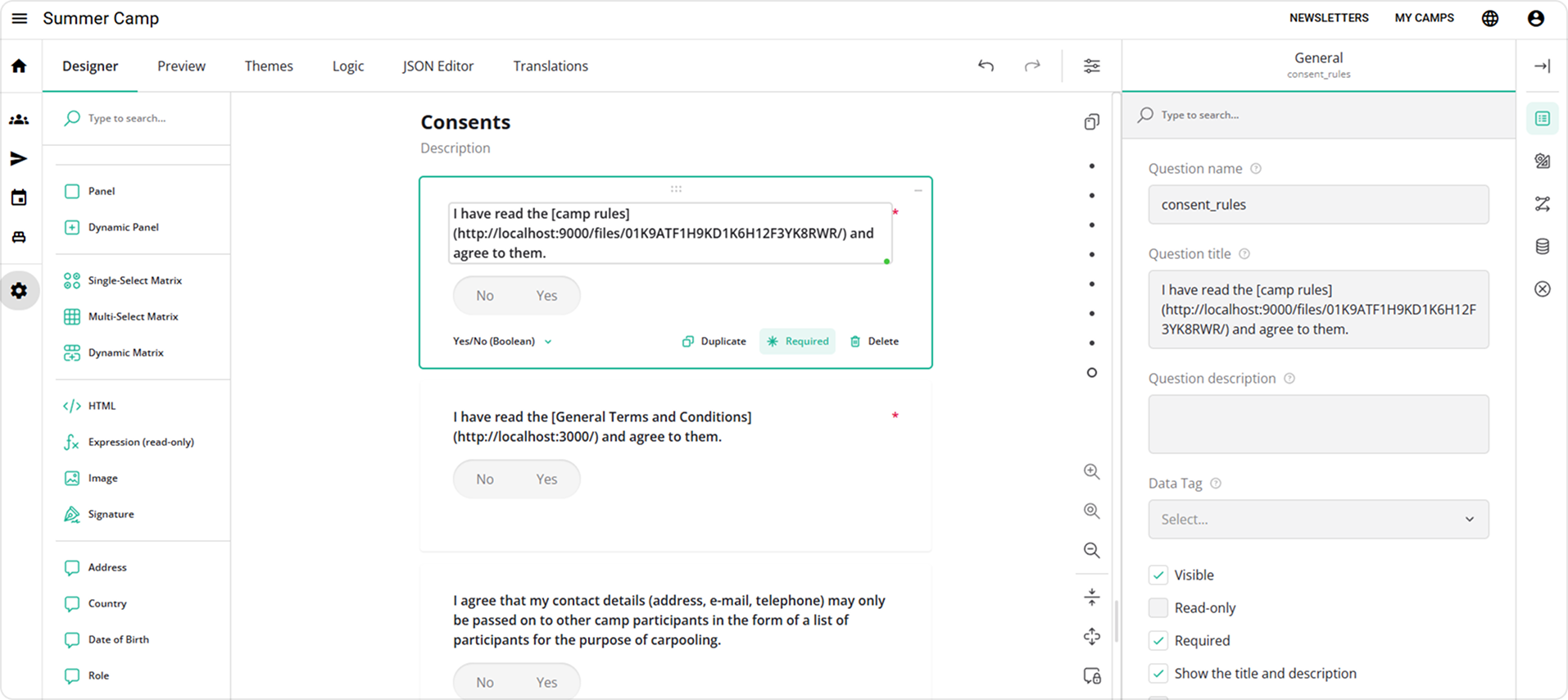
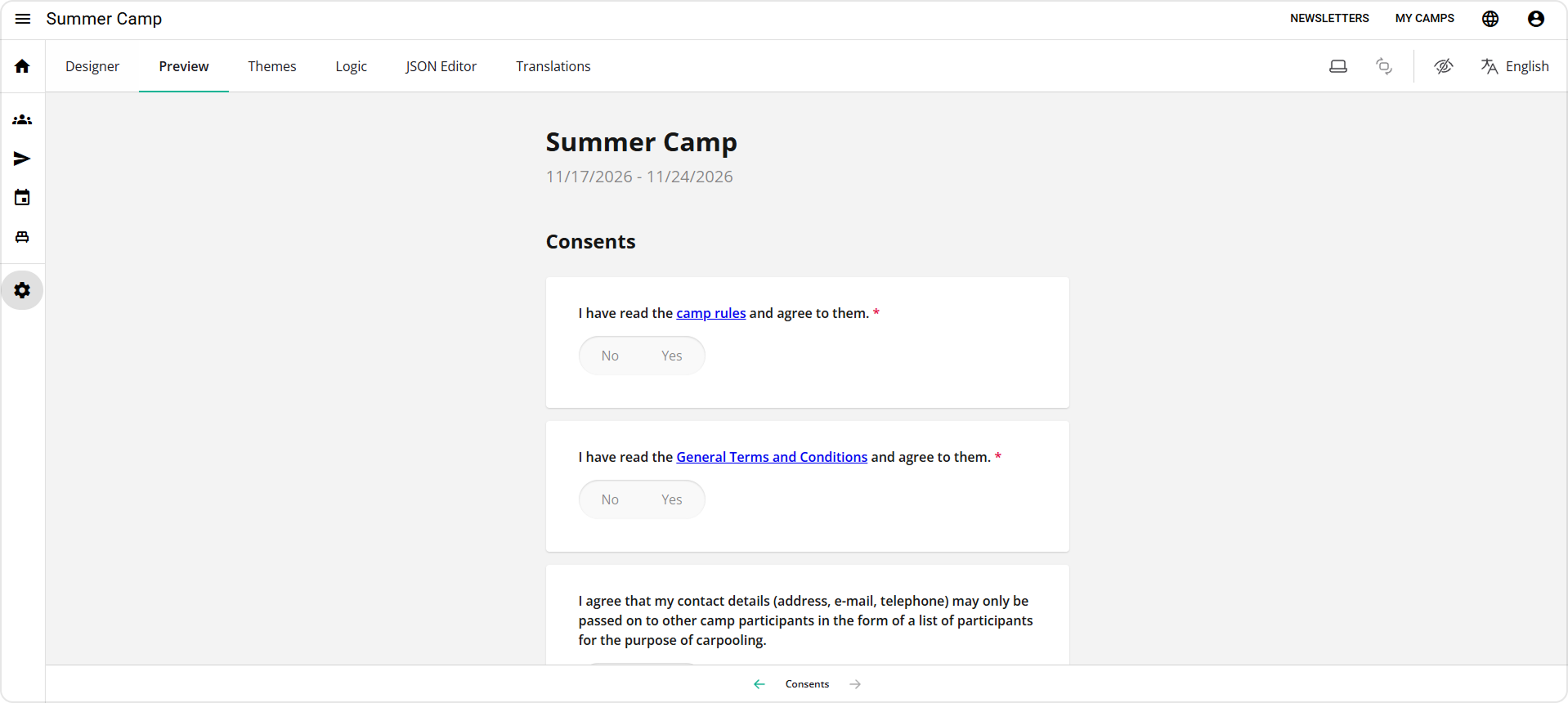
The form editor also supports content such as links to camp rules, terms and conditions, and other relevant documents. These links appear directly within the registration flow, allowing participants and parents to access important information while completing the form.
Structured Data Tagging for Operational Workflows
Because each camp form can be customized, the application cannot rely only on fixed field names or hard-coded paths to retrieve important registration data. A form may be reorganized, translated, or extended, but the system still needs to know which question contains the participant's name, email address, role, country, and other operational values.
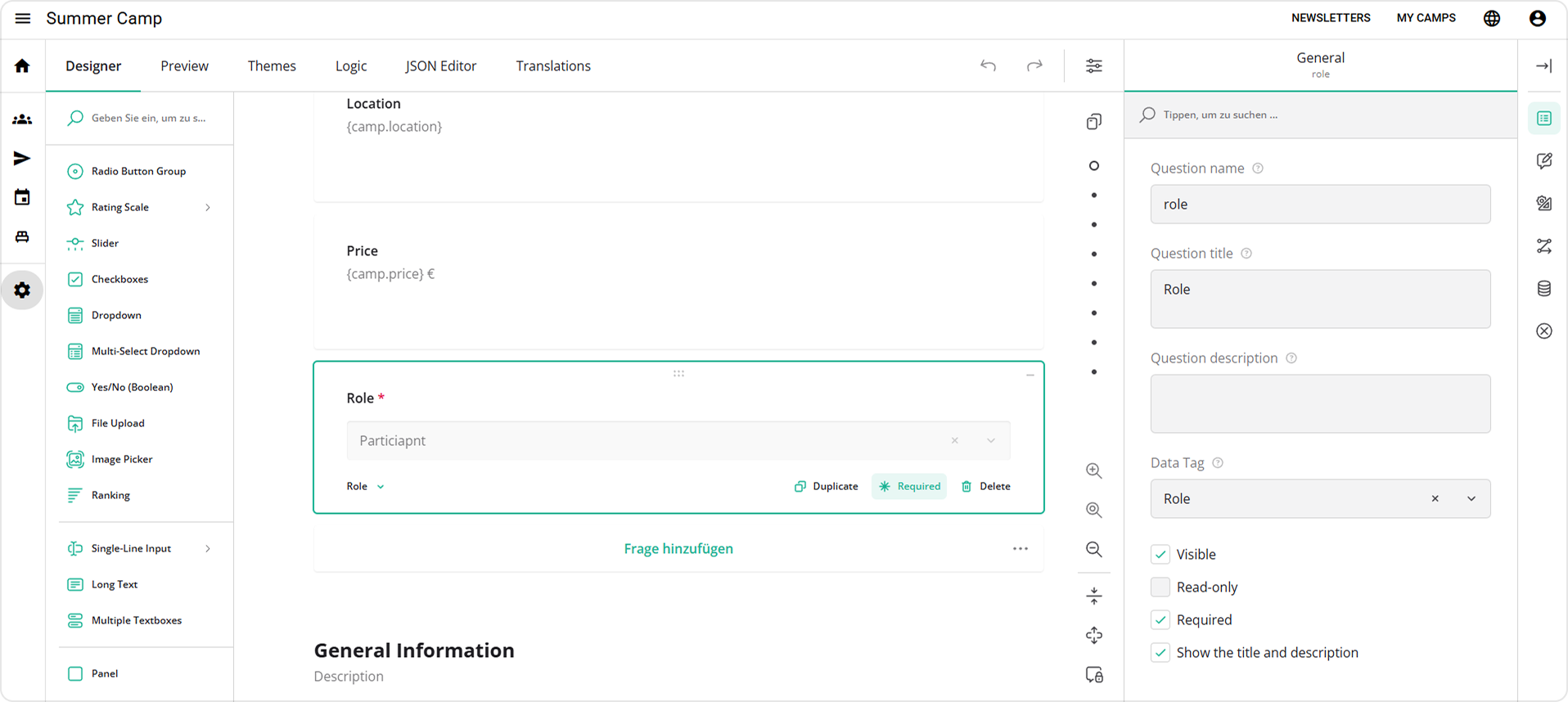
To solve this, the SurveyJS Creator interface was extended with a custom property for tagging questions that contain essential data. These tags allow the application to identify key fields regardless of where they appear in the form structure.
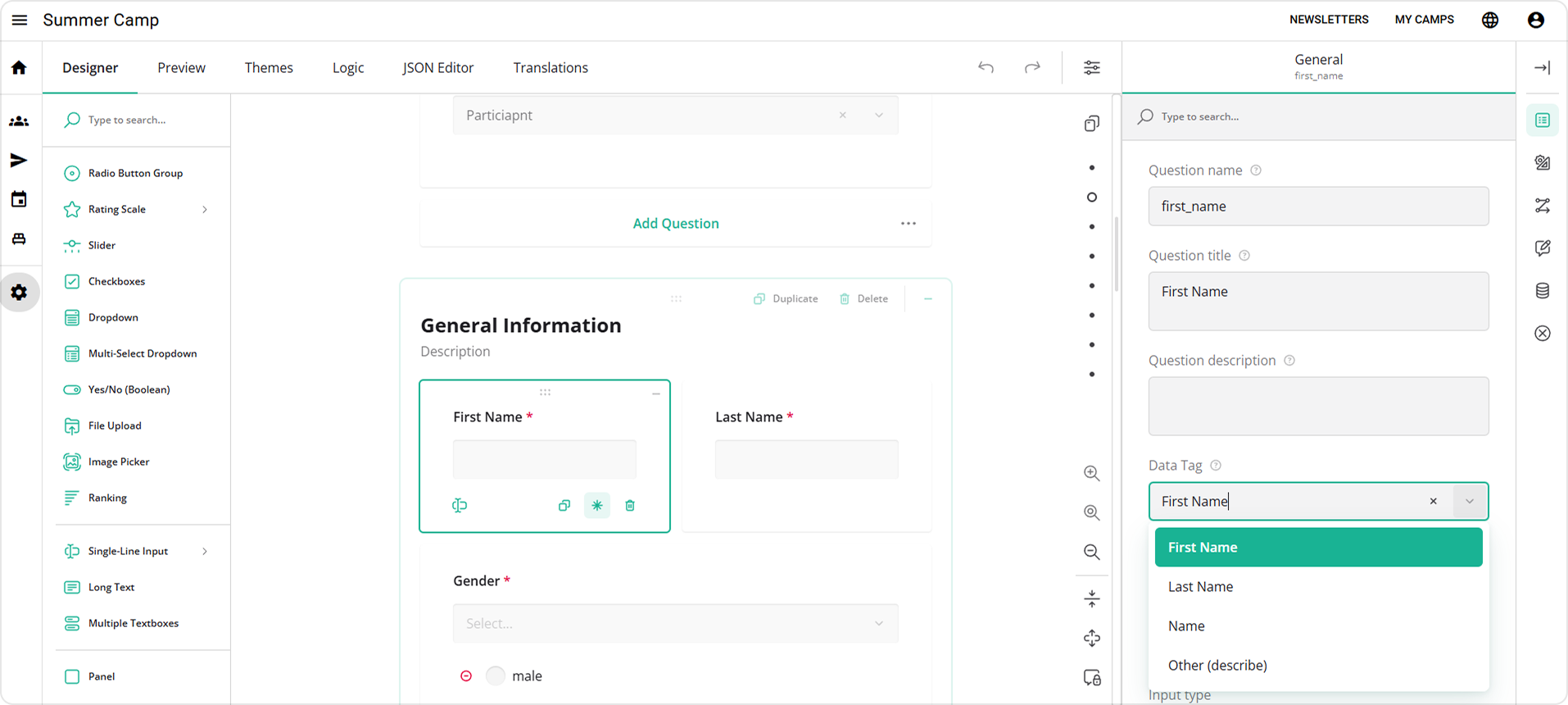
This creates a bridge between flexible form design and reliable application logic. Coordinators can adjust the form layout while the system continues to retrieve important values consistently.
Automated Emails Based on Registration Data
Communication is a central part of youth camp organization. Participants and parents may need confirmations, updates, waitlist notifications, acceptance messages, cancellation notices, and other event-specific emails.
The application includes an email template editor that allows automated messages to be configured for different registration events. Templates can include dynamic tokens from the registration form and computed camp data, so each message can be personalized without manual editing.
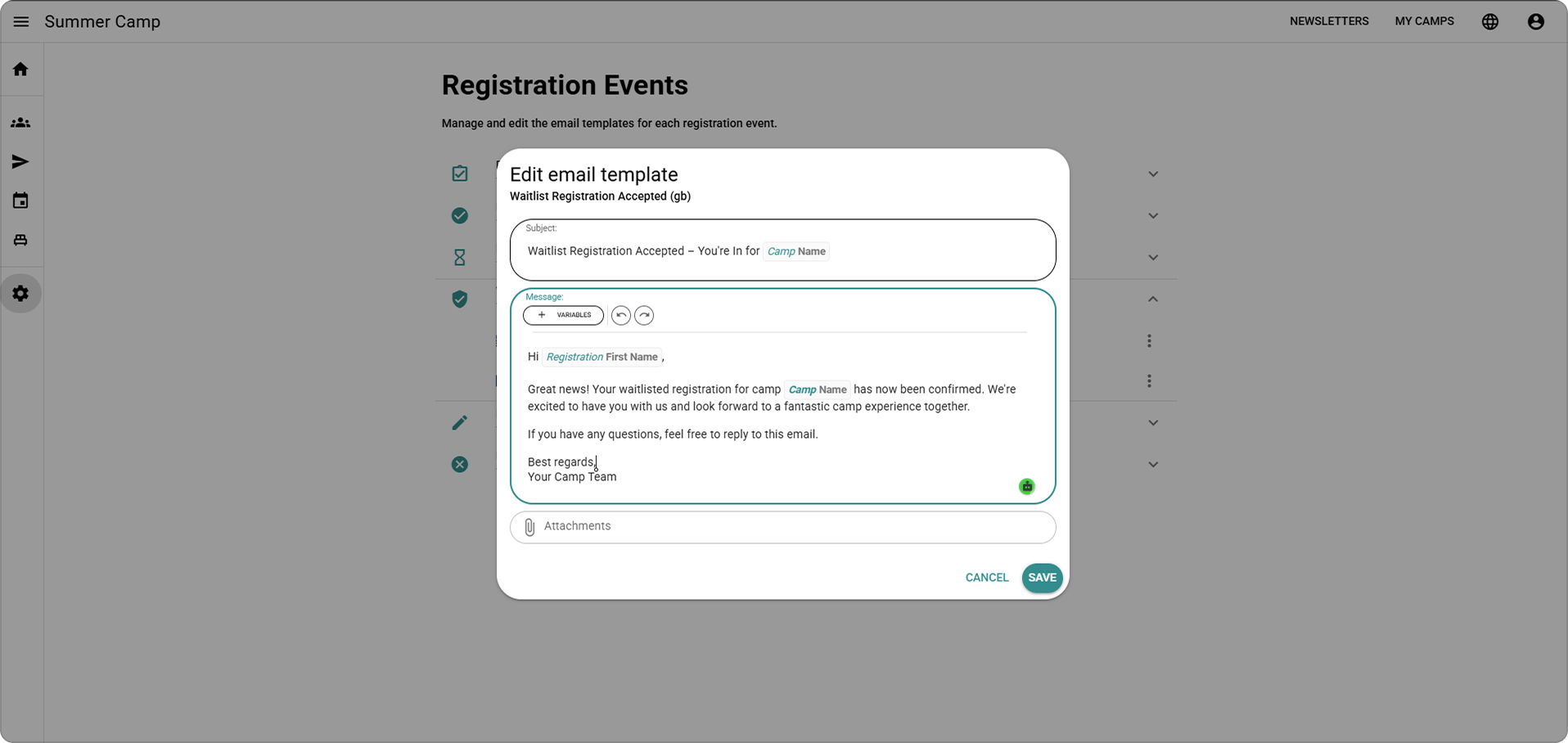
This makes communication more consistent and reduces repetitive administrative work. Instead of manually writing confirmation emails or copying participant information into messages, organizers can maintain reusable templates that automatically reflect the submitted registration data.
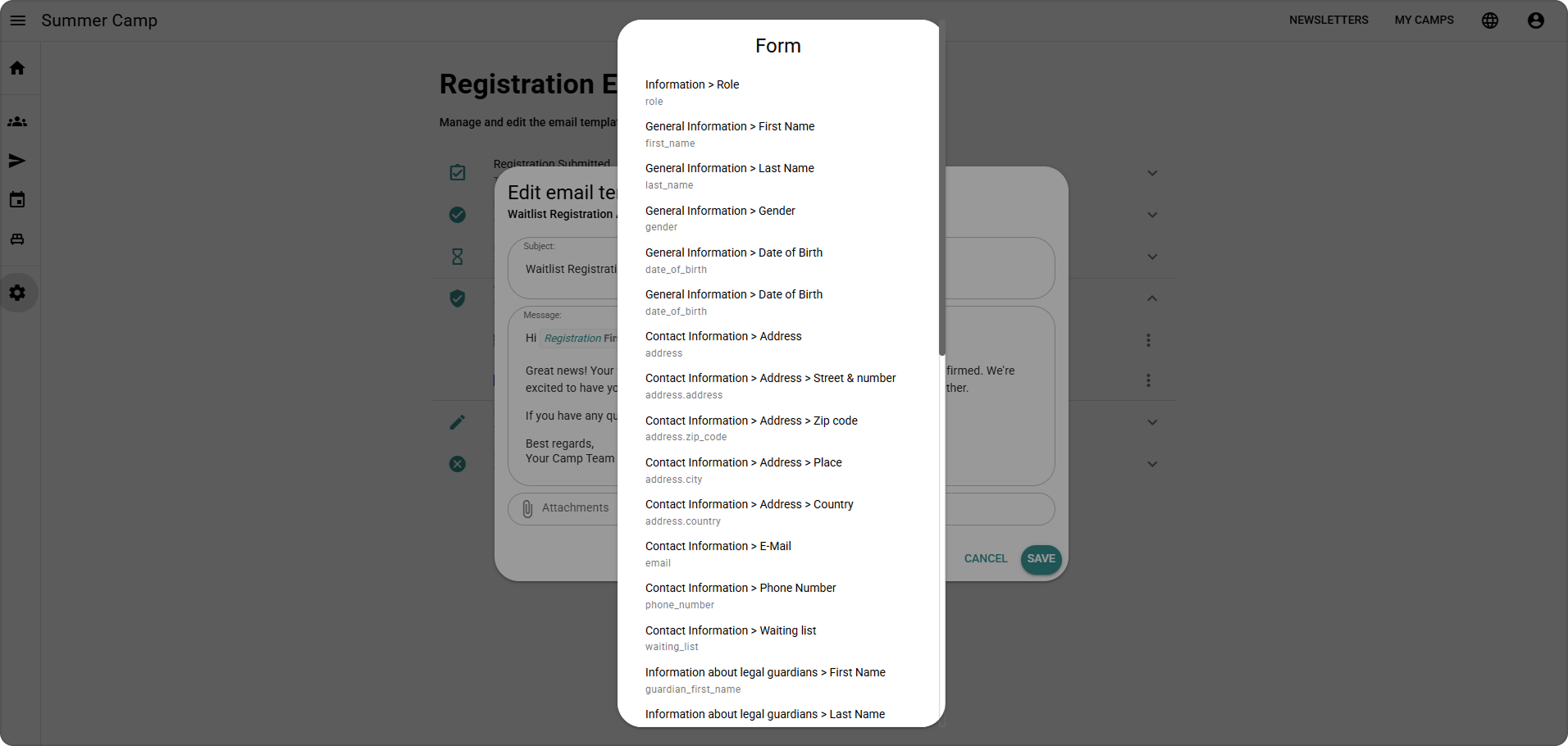
Future plans include attaching registration data as a PDF, further improving the administrative handoff between digital registration and offline documentation needs.
Validation on Both Client and Server
For a registration system that collects youth camp data, validation is not only a user experience concern. It is also important for data integrity and security.
The application validates registrations on the client side as participants complete the form, helping them correct mistakes immediately. The same SurveyJS logic is then used on the server side in Node.js before registration data is stored.
Participant Management with Customizable Tables
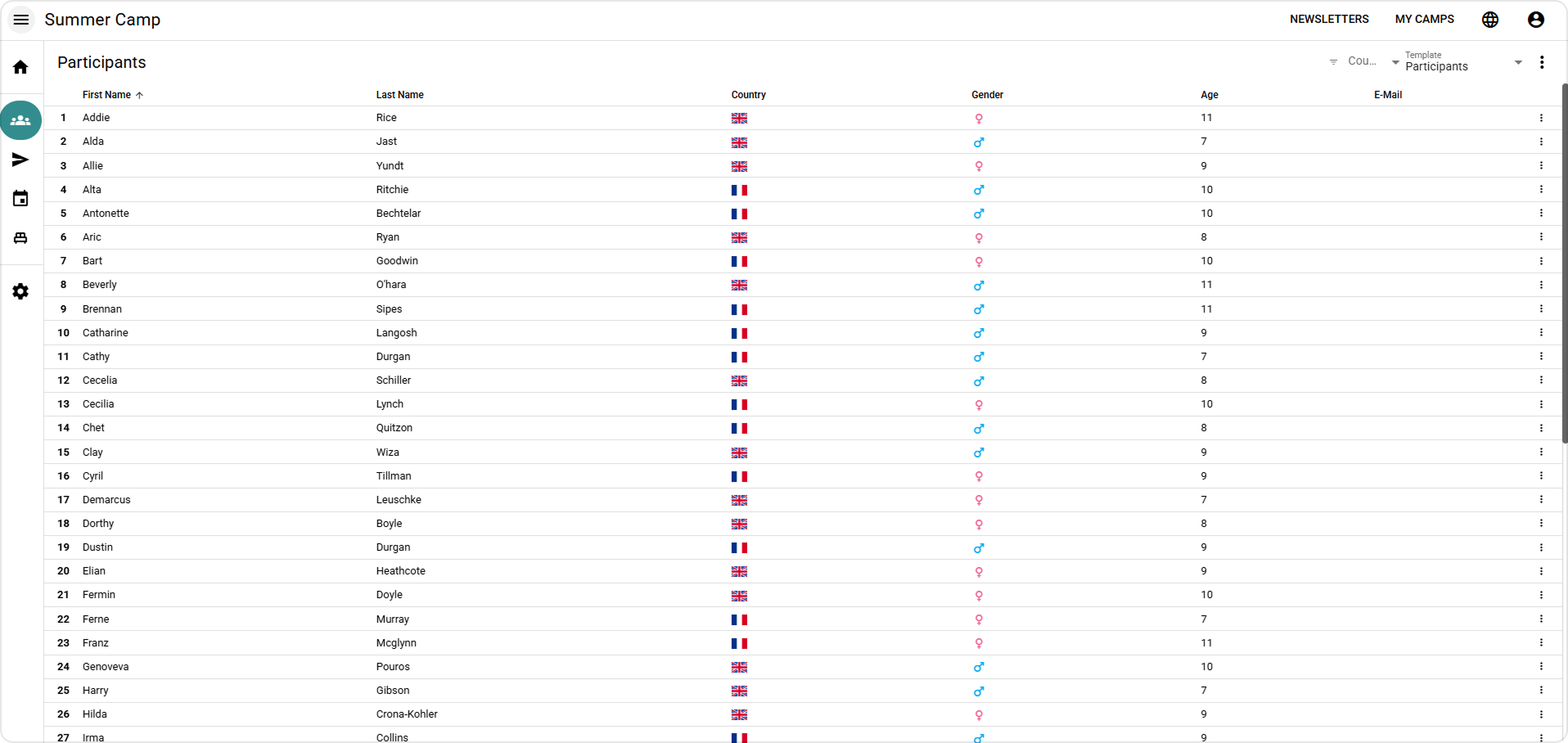
Once registrations are submitted, coordinators need a clear way to review, manage, and update participant data. The application displays submitted registrations in configurable tables for organizers and authorized users.
Because the structure of the registration data depends on the configured SurveyJS form, the application uses SurveyJS to resolve paths to nested fields dynamically. For choice-based questions, stored values are mapped back to their translated labels and displayed in the correct language. This makes the data easier to read and work with, especially in a multilingual environment.
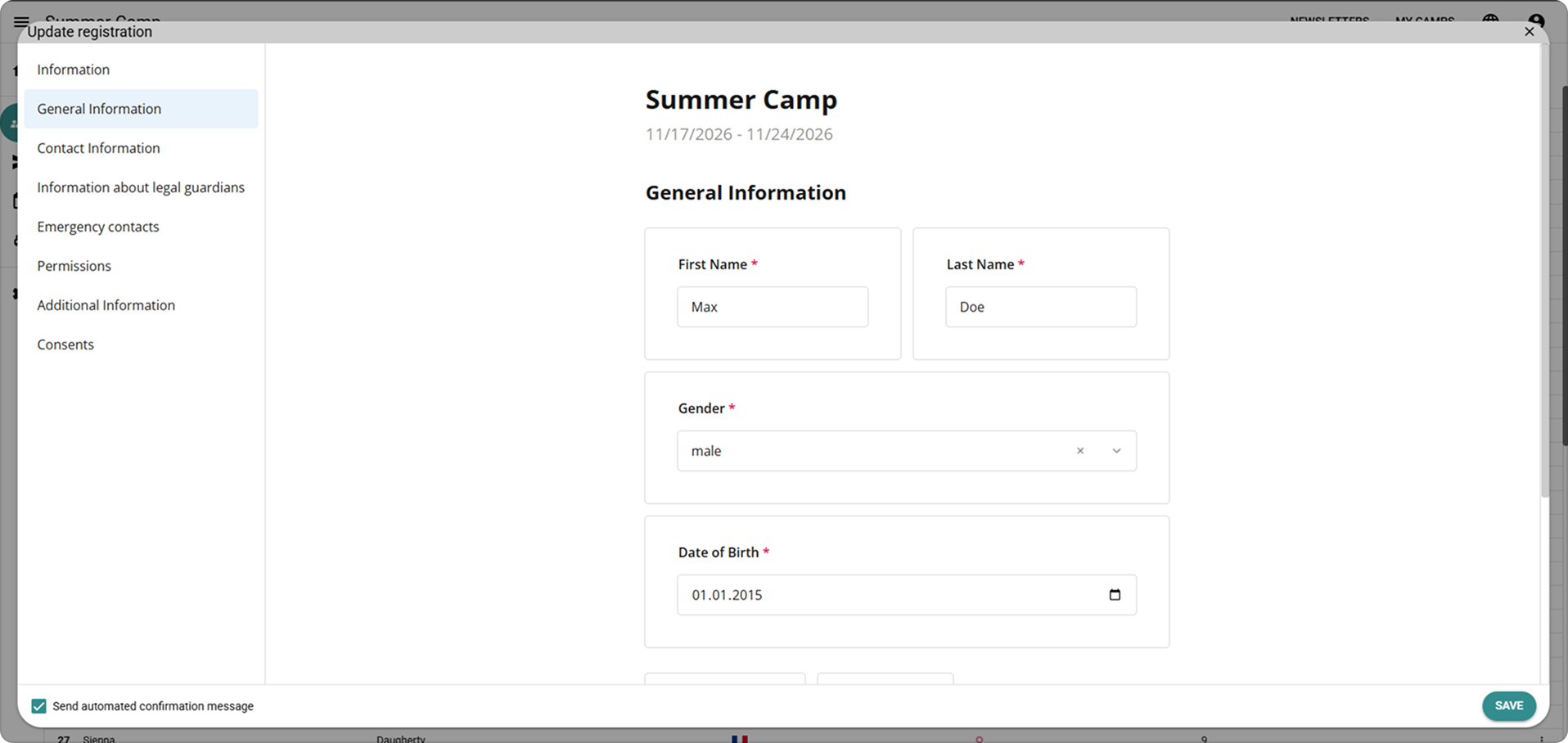
Coordinators can also open and edit individual registrations through an administrative dialog. Registration data is organized into sections, and updates can optionally trigger automated notifications. This gives organizers a structured way to maintain participant information as details change before the camp begins.
SurveyJS Products Used
Experience Working with the SurveyJS Products
For Luftsportjugend, SurveyJS provided the level of extensibility required to build a registration workflow around real operational needs rather than forcing the process into a rigid form template. The ability to embed the form engine, customize SurveyJS Creator, add custom question types, define custom properties, and reuse the same logic across frontend and backend made SurveyJS a strong fit for the project.