SurveyJS v2.5.14
Released: March 3, 2026
SurveyJS v2.5.14 adds support for randomizing rows in the Multi-Select Matrix question type and includes bug fixes and minor enhancements.
Randomize Rows in Multi-Select Matrix
You can now display rows in a Multi-Select Matrix in random order each time a survey is loaded. To enable this behavior, set the rowOrder property to "random" in the question's JSON schema:
{
  "elements": [
    {
      "type": "matrixdropdown",
      "name": "question1",
      "title": "Multi-Select Matrix",
      "columns": [
        {
          "name": "column1",
          "title": "Column 1"
        },
        {
          "name": "column2",
          "title": "Column 2"
        }
      ],
      "rows": [
        "Row 1",
        "Row 2",
        "Row 3",
        "Row 4",
        "Row 5",
        "Row 6"
      ]
      "rowOrder": "random"
    }
  ]
}
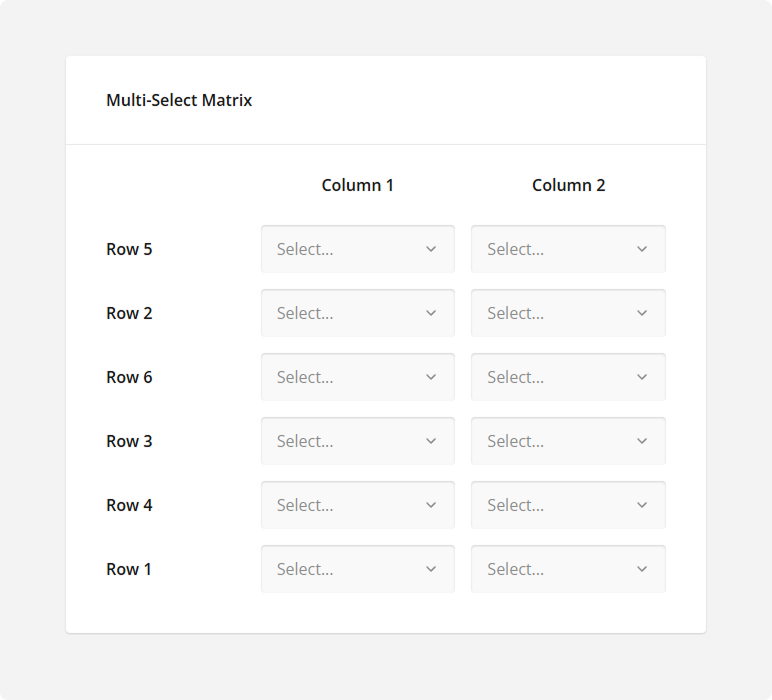
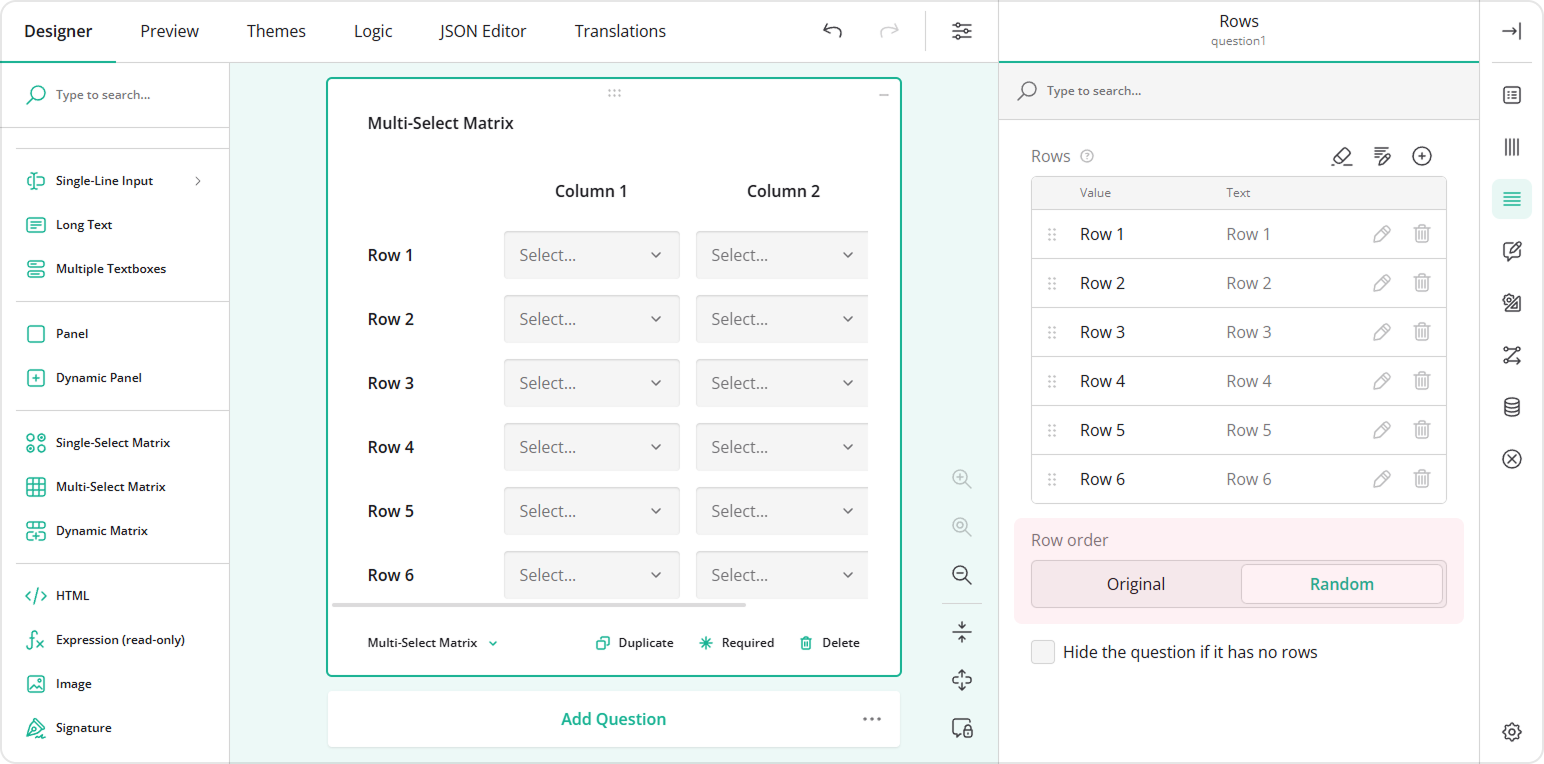
To enable the same behavior in Survey Creator, select the Multi-Select Matrix question, open the Rows category in the Property Grid, and set the Row order property to Random.
New Help Topics
How to Create a Welcome Page in Your Form
Bug Fixes and Minor Enhancements
Form Library
- [Angular] Dropdown: "Other" doesn't appear as a selected value (#10942)
- [Mobile] Previous and Next buttons stack at certain device widths (#10948)
Survey Creator
- Duplicating a panel with nested questions doesn't update the question names if the panel is inside a Dynamic Panel (#7466)
- Property Grid: Changing a property's
categorydoes not move it to another category (#7465) - Preview: Table of Contents remains in desktop layout in mobile mode (#7467)
Dashboard
- Table View emits warnings and ultimately crashes (#695)
How to Update SurveyJS Libraries in Your Application
Angular
npm i survey-core@v2.5.14 survey-angular-ui@v2.5.14 --save
npm i survey-creator-core@v2.5.14 survey-creator-angular@v2.5.14 --save
npm i survey-analytics@v2.5.14 --save
npm i survey-pdf@v2.5.14 --save
React
npm i survey-core@v2.5.14 survey-react-ui@v2.5.14 --save
npm i survey-creator-core@v2.5.14 survey-creator-react@v2.5.14 --save
npm i survey-analytics@v2.5.14 --save
npm i survey-pdf@v2.5.14 --save
Vue.js
npm i survey-core@v2.5.14 survey-vue3-ui@v2.5.14 --save
npm i survey-creator-core@v2.5.14 survey-creator-vue@2.5.14 --save
npm i survey-analytics@2.5.14 --save
npm i survey-pdf@2.5.14 --save
HTML/CSS/JavaScript
<link href="https://unpkg.com/survey-core@2.5.14/survey-core.min.css" type="text/css" rel="stylesheet">
<script type="text/javascript" src="https://unpkg.com/survey-core@2.5.14/survey.core.min.js"></script>
<script type="text/javascript" src="https://unpkg.com/survey-js-ui@2.5.14/survey-js-ui.min.js"></script>

<script src="https://unpkg.com/survey-core@2.5.14/themes/index.min.js"></script>
<script src="https://unpkg.com/survey-creator-core@2.5.14/themes/index.min.js"></script>

<link href="https://unpkg.com/survey-creator-core@2.5.14/survey-creator-core.min.css" type="text/css" rel="stylesheet">
<script src="https://unpkg.com/survey-creator-core@2.5.14/survey-creator-core.min.js"></script>
<script src="https://unpkg.com/survey-creator-js@2.5.14/survey-creator-js.min.js"></script>

<link href="https://unpkg.com/survey-analytics@2.5.14/survey.analytics.min.css" rel="stylesheet">
<script src="https://unpkg.com/survey-analytics@2.5.14/survey.analytics.min.js"></script>

<script src="https://unpkg.com/survey-pdf@2.5.14/survey.pdf.min.js"></script>
<script src="https://unpkg.com/survey-pdf@2.5.14/pdf-form-filler.min.js"></script>
Does the current release include the bug fix or enhancement you have been waiting for?