Nested Forms in SurveyJS — Link Parent Answers to Nested Subforms (Part 3)
Parts 1 and 2 covered nested contacts and catalog lines—records that contain text and choice fields. Part 3 adds what those forms did not: a child subform that appears conditionally when a parent answer requires it, with each nested entry including a file upload.
In This Series
This three-part guide uses a supplier registration example to show how to build nested forms in SurveyJS:
- Part 1 — Collect related records in one submission
- Part 2 — Add readable summaries to repeatable subforms
- Part 3 — Link parent answers to nested subforms (this article)
Example
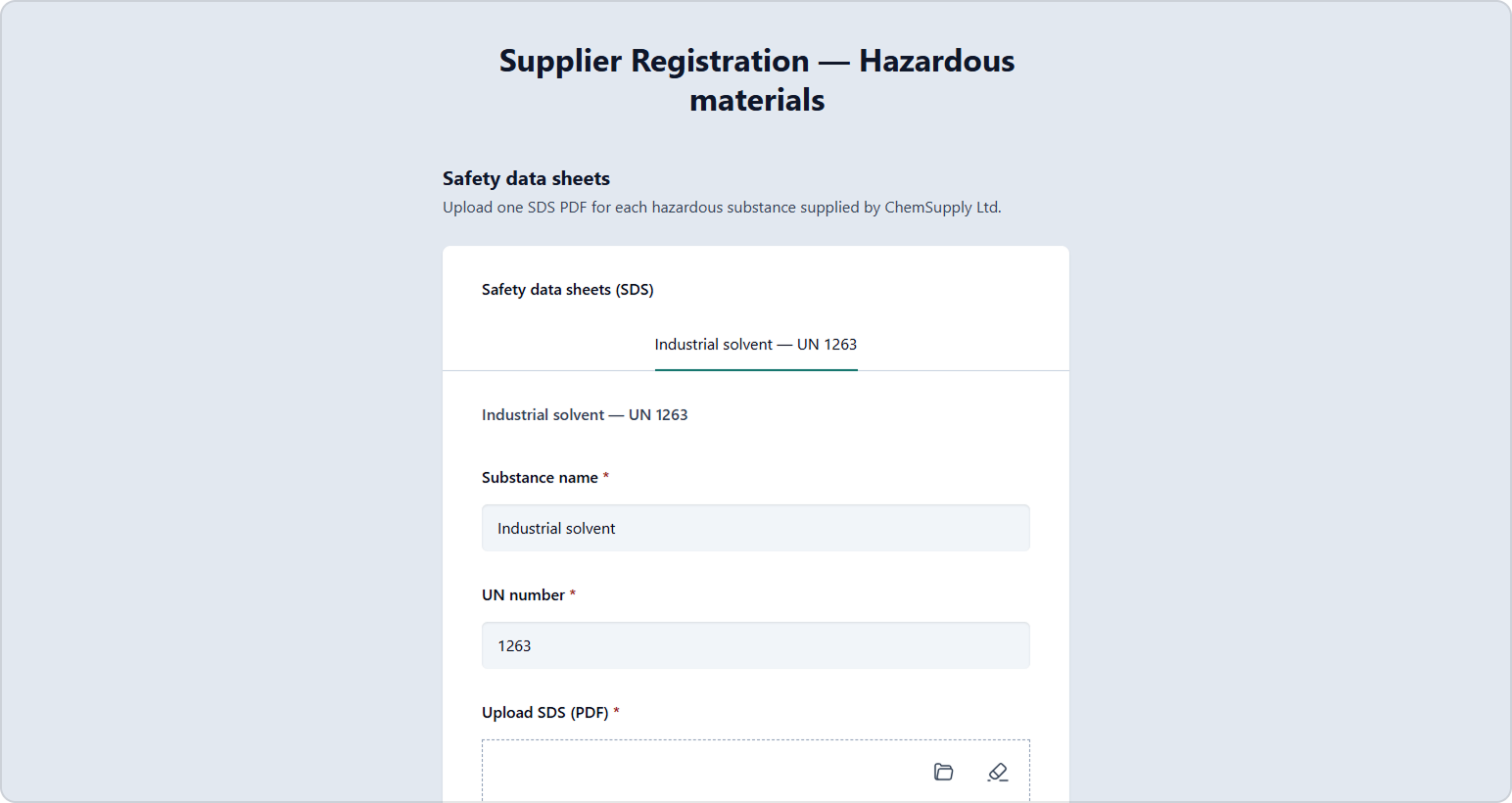
Try the following live demo. Answer "Yes" to the "Do you supply hazardous materials?" question to reveal the Safety Data Sheet (SDS) subform in tab mode. Add substances and upload PDFs.
Business Scenario: Hazardous Materials SDS
When a supplier answers "Yes" to "Do you supply hazardous materials?", they must add one SDS entry per substance: name, UN number, and a PDF upload. If they answer "No", the page remains hidden—no empty nested panel and no forced uploads.
Survey JSON
The Dynamic Panel is configured with "displayMode": "tab" and a hidden Expression for tab titles (the same pattern as Part 2). The page visibility is controlled with the visibleIf expression.
{
  "title": "Supplier Registration — Hazardous materials",
  "pages": [
    {
      "name": "profile",
      "title": "Supplier profile",
      "elements": [
        {
          "type": "text",
          "name": "legalName",
          "title": "Legal company name",
          "isRequired": true
        },
        {
          "type": "boolean",
          "name": "shipsHazmat",
          "title": "Do you supply hazardous materials?",
          "isRequired": true
        }
      ]
    },
    {
      "name": "hazmat",
      "visibleIf": "{shipsHazmat} = true",
      "title": "Safety data sheets",
      "description": "Upload one SDS PDF for each hazardous substance supplied by {legalName}",
      "elements": [
        {
          "type": "paneldynamic",
          "name": "safetyDataSheets",
          "title": "Safety data sheets (SDS)",
          "templateElements": [
            {
              "type": "expression",
              "name": "tabTitle",
              "visible": false,
              "expression": "iif({panel.substanceName} empty, 'New SDS entry', {panel.substanceName} + ' — UN ' + {panel.unNumber})"
            },
            {
              "type": "text",
              "name": "substanceName",
              "title": "Substance name",
              "isRequired": true
            },
            {
              "type": "text",
              "name": "unNumber",
              "title": "UN number",
              "isRequired": true,
              "maskType": "pattern",
              "maskSettings": {
                "pattern": "9999"
              }
            },
            {
              "type": "file",
              "name": "sdsFile",
              "title": "Upload SDS (PDF)",
              "isRequired": true,
              "acceptedTypes": "application/pdf",
              "maxSize": 5242880
            }
          ],
          "templateTitle": "{panel.tabTitle}",
          "templateTabTitle": "{panel.tabTitle}",
          "panelCount": 1,
          "minPanelCount": 1,
          "maxPanelCount": 20,
          "addPanelText": "Add SDS entry",
          "removePanelText": "Remove SDS entry",
          "displayMode": "tab"
        }
      ]
    }
  ]
}
In production, upload files to your server rather than storing them as base64 in the survey results JSON. SurveyJS supports server-side upload via the
onUploadFilesevent. See the File Upload demo for a complete example.
Patterns for Connecting Parent and Nested Data
Conditional Pages (visibleIf)
Hide the nested subform until a parent answer makes it relevant. Hidden sections are typically skipped during validation and are not included in results, keeping payloads clean.
Conditional Required Nested Entries
Combine visibleIf on the page with minPanelCount: 1 on the Dynamic Panel so at least one SDS (with PDF) is required only when the answer is Yes.
Dynamic Titles from Parent Context
Reference parent fields in nested page content (see hazmatIntro): {legalName} updates when the respondent changes the profile answer.
Syncing Two Nested Sections
When one list drives another (for example, pick departments, then add a contact per department), use a shared valueName join identifier. See How to sync data within a form using a join identifier.
Sample Result JSON
No hazardous materials — profile only:
{
  "legalName": "Acme Fasteners Inc.",
  "shipsHazmat": false
}
Hazardous material supplier — profile plus nested SDS array (one object per substance). In a demo, file content may appear as base64 in JSON; in production, store file URLs returned from your server:
{
  "legalName": "ChemSupply Ltd.",
  "shipsHazmat": true,
  "safetyDataSheets": [
    {
      "substanceName": "Industrial solvent",
      "unNumber": "1263",
      "sdsFile": [
        {
          "name": "solvent-sds.pdf",
          "type": "application/pdf",
          "content": "data:application/pdf;base64,..."
        }
      ],
      "tabTitle": "Industrial solvent — UN 1263"
    }
  ]
}
Your API can store supplier profile fields and route safetyDataSheets to a documents table. Contacts and product lines from Parts 1 and 2 can be linked under the same supplier ID in your backend.
SurveyJS is built primarily for data collection. Nested forms help you capture related records in one submission. Searching, filtering, and managing existing supplier data are usually handled by your application—not in the form session itself.