Integrate Third-Party JSON Editors
The JSON Editor tab enables users to edit survey JSON schemas as text. By default, it contains a plain text area. You can integrate Monaco or Ace to add syntax highlighting, code folding, find and replace, and other code editing features.
Integrate Monaco
Monaco Editor is the code editor that powers Visual Studio Code. It is open-source and distributed under the MIT license.
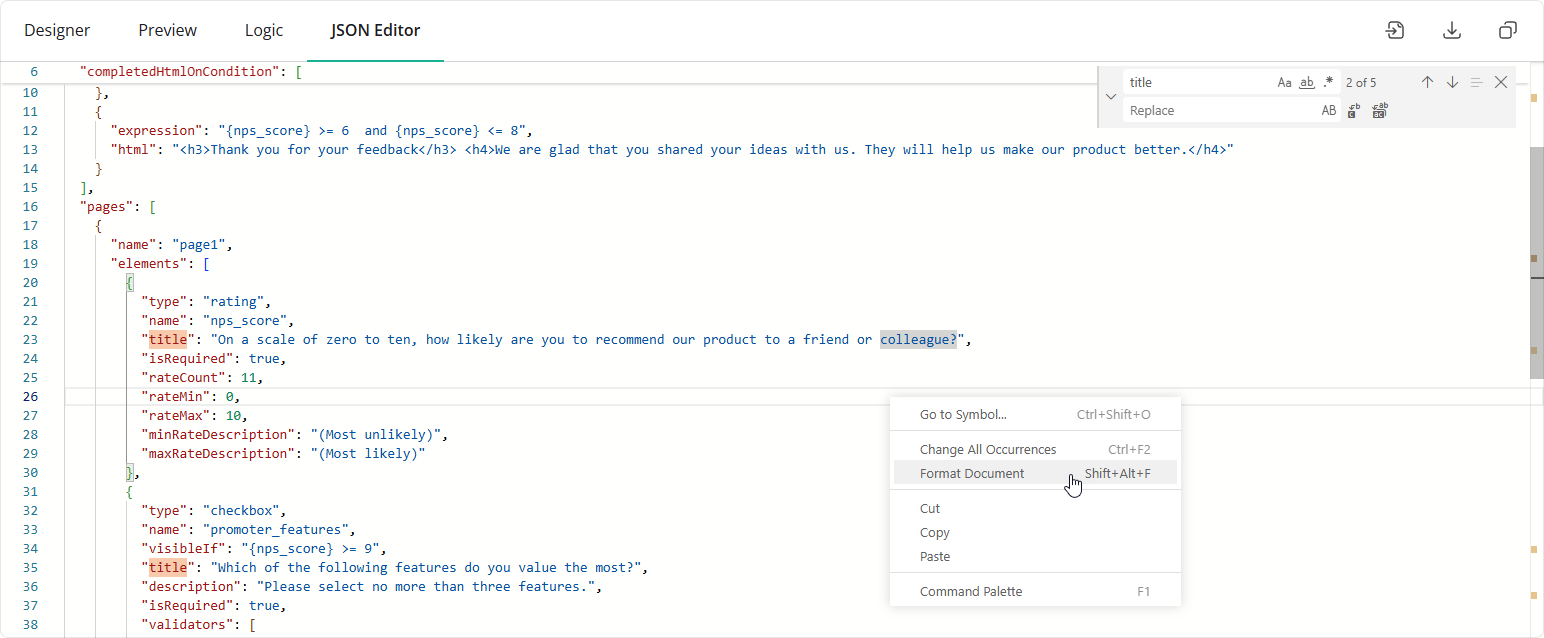
Monaco provides the following features in the JSON Editor tab:
- Syntax highlighting
- Bracket matching
- Code folding
- Find and replace
- JSON formatting through Format Document in the context menu
- Underlined errors with messages on hover
- Automatic dark theme when Survey Creator uses a dark color palette
Monaco integration requires Survey Creator v3.2.6 or newer.
Demo: Integrate Monaco Editor into Survey Creator
Modular Applications
Install the monaco-editor package:
npm install monaco-editor
Import Monaco and expose it as window.monaco before you create a Survey Creator instance. The following code uses Object.assign() so that it also works in TypeScript without adding a declaration for window.monaco:
import * as monaco from "monaco-editor";
import { SurveyCreatorModel } from "survey-creator-core";

Object.assign(window, { monaco });

const creator = new SurveyCreatorModel();
Place the setup in the component or module that initializes Survey Creator. If your application uses server-side rendering (SSR), disable SSR for the component that imports Monaco and renders Survey Creator.
Classic Script Applications
Install the monaco-editor package:
npm install monaco-editor
If your application loads dependencies with classic <script> tags, bundle Monaco's ESM build separately. Create an entry module that imports Monaco and exposes it as window.monaco:
import * as monaco from "monaco-editor";

Object.assign(window, { monaco });
Add the worker setup described below to this module and use a bundler to generate a browser script. Load the generated script before the code that creates a Survey Creator instance:
<script src="/js/monaco.bundle.js"></script>
<script>
  const creator = new SurveyCreatorCore.SurveyCreatorModel();
</script>
Only the Monaco setup needs to be bundled. The rest of your application can continue to use classic scripts.
Configure Monaco Workers
Monaco uses web workers for JSON diagnostics, completion, and hover information. For the JSON Editor tab, configure the following workers before creating a Survey Creator instance:
- JSON worker
- Base editor worker
Follow the instructions for your bundler in the Monaco ESM integration guide or use the following demo as a reference:
Demo: Integrate Monaco Editor into Survey Creator
Integrate Ace
Ace is an embeddable code editor with support for extensions. It is open-source and distributed under the BSD license.
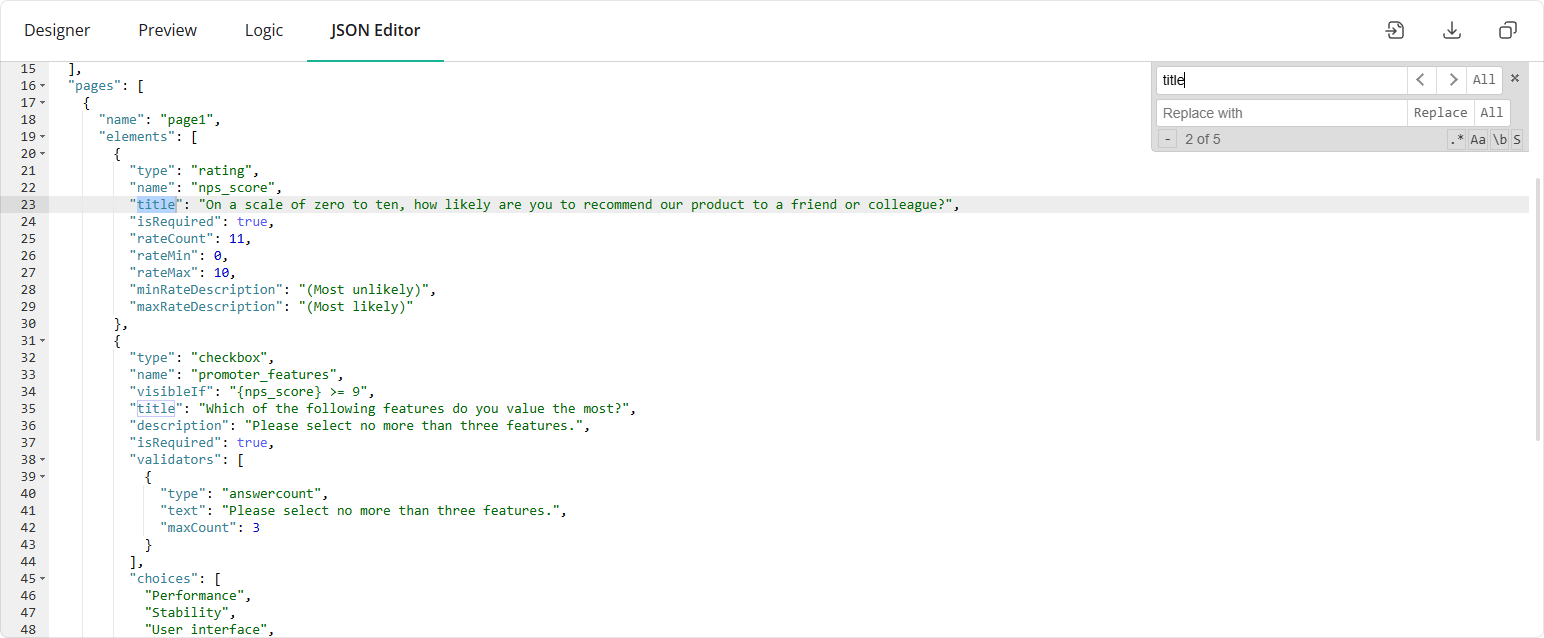
Ace provides the following features in the JSON Editor tab:
- Syntax highlighting
- Bracket matching
- Code folding
- Find and replace
- Error annotations with messages on hover
- Automatic dark theme when Survey Creator uses a dark color palette
Demo: Integrate Ace Editor into Survey Creator
Modular Applications
Install the ace-builds package:
npm install ace-builds
Import Ace and the extensions that enable the Find/Replace dialog and support Survey Creator's dark color palette. Set the resource path before creating a Survey Creator instance:
import "ace-builds/src-noconflict/ace";
import "ace-builds/src-noconflict/ext-searchbox";
import "ace-builds/src-noconflict/theme-clouds_midnight";
import { AceJsonEditorModel, SurveyCreatorModel } from "survey-creator-core";

AceJsonEditorModel.aceBasePath = "https://unpkg.com/ace-builds/src-min-noconflict/";

const creator = new SurveyCreatorModel();
Demo: Integrate Ace Editor into Survey Creator
Classic Script Applications
Add Ace and its extensions to your HTML page:
<script src="https://unpkg.com/ace-builds/src-min-noconflict/ace.js"></script>
<script src="https://unpkg.com/ace-builds/src-min-noconflict/ext-searchbox.js"></script>
<script src="https://unpkg.com/ace-builds/src-min-noconflict/theme-clouds_midnight.js"></script>
Set the Ace resource path, then create a Survey Creator instance:
SurveyCreatorCore.AceJsonEditorModel.aceBasePath = "https://unpkg.com/ace-builds/src-min-noconflict/";

const creator = new SurveyCreatorCore.SurveyCreatorModel();
Send feedback to the SurveyJS team
Need help? Visit our support page